Etsy media in,
Pinterest queue out.
Upgraded FastAPI dashboard for Etsy image pins and video pins: CSV import, Claude SEO, Cloudinary image re-hosting, safe batch controls, smart scheduling, and a manual Pinterest video queue.
What is Etsy to Pinterest Pipeline?
The Etsy to Pinterest Pipeline is an upgraded FastAPI dashboard for turning Etsy listings into Pinterest-ready image and video pins. It imports listings by Etsy API or CSV, excludes non-pin images, generates niche-aware SEO with Claude Sonnet, re-hosts image assets on Cloudinary, schedules image pins automatically, and exports MP4 video pins into a manual Pinterest upload queue.
What was broken.
The first Etsy to Pinterest page covered the core automation: import products, generate Pinterest SEO, process images, review pins, schedule, and post. The updated system had to deal with the messier production reality: Etsy exports, video listings, image URLs Pinterest may not fetch reliably, long-running SEO batches, and the need to undo a batch if the output is not right.
Image pins and video pins cannot be handled the same way. Make.com can post image URL pins, but it is not the right path for local MP4 uploads. Sending video files through the image webhook creates failure states and makes the dashboard harder to trust.
The upgrade separates those paths clearly. Image pins can still be processed and posted automatically. Video pins are prepared, organized, and exported for manual upload with all Pinterest fields ready to copy.
What was built.
The upgraded pipeline keeps the original listing-to-pin pipeline but adds production controls around it. Listings can come from the Etsy API or from an Etsy CSV export. Each listing stores image URLs, video URLs, excluded images, tags, price, Etsy link, and processing status in SQLite, so the dashboard can resume work without rebuilding context.
For image pins, the system crops to Pinterest format, computes perceptual hashes to avoid duplicate pins, generates unique Claude SEO variations per image, matches the best board, then re-hosts images through Cloudinary before posting. That re-hosting step was added because Pinterest may reject or fail to fetch raw Etsy CDN image URLs through Make.com.
For video pins, the system creates ready_manual pin records instead of pushing them through the image posting path. It downloads Etsy MP4s, prepares 9:16 processed files when FFmpeg is available, generates cover images, and exports both an HTML queue and a CSV queue containing title, description, board, alt text, Etsy link, local video path, cover image path, and keywords.
The dashboard now includes safer batch operations: Generate All SEO has stop and rollback support, video queue generation is explicit, the posting worker can be started or stopped, and video pins are blocked from automatic image posting by design.
Architecture in plain English.
See it in action.
Review the upgraded dashboard flow: CSV and Etsy import, safe batch SEO, image pin posting, Cloudinary re-hosting, smart scheduling, and the new manual video queue for MP4 Pinterest uploads.
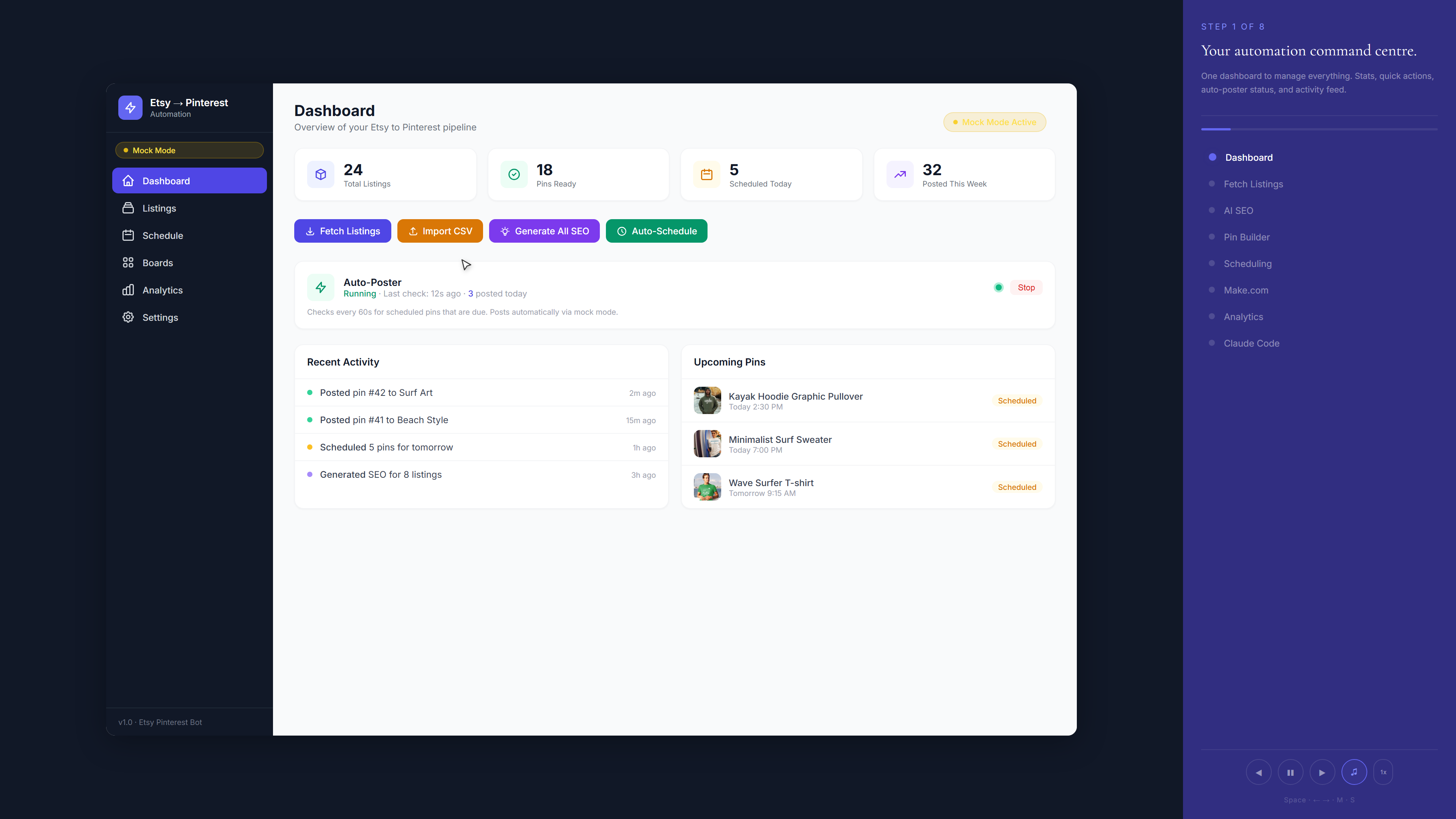
Guided walkthrough with sample data. The live dashboard processes real Etsy listings and local video assets.
The upgraded dashboard keeps Etsy input, AI pin generation, scheduling, and manual video handling visible as separate workflow stages.
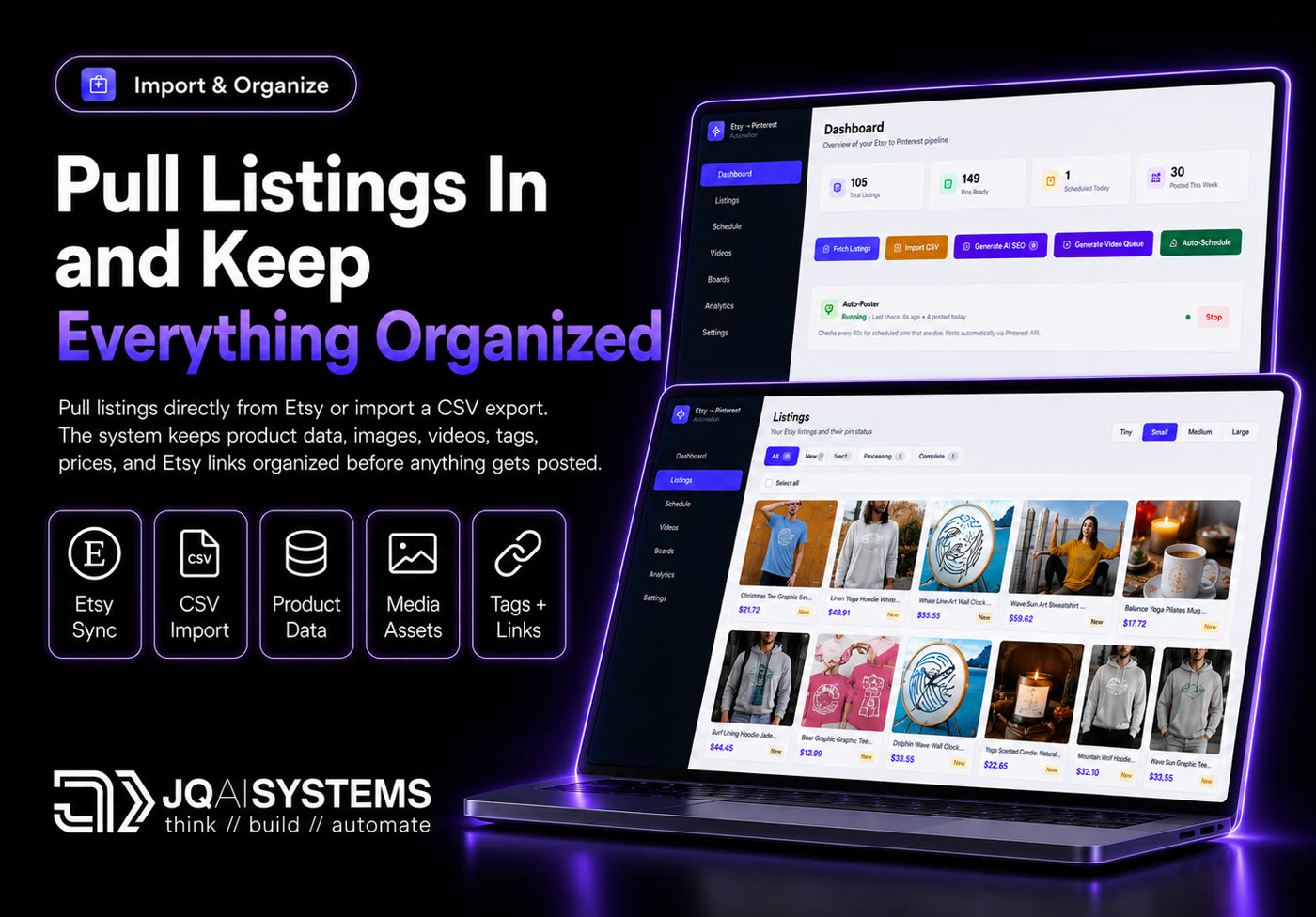

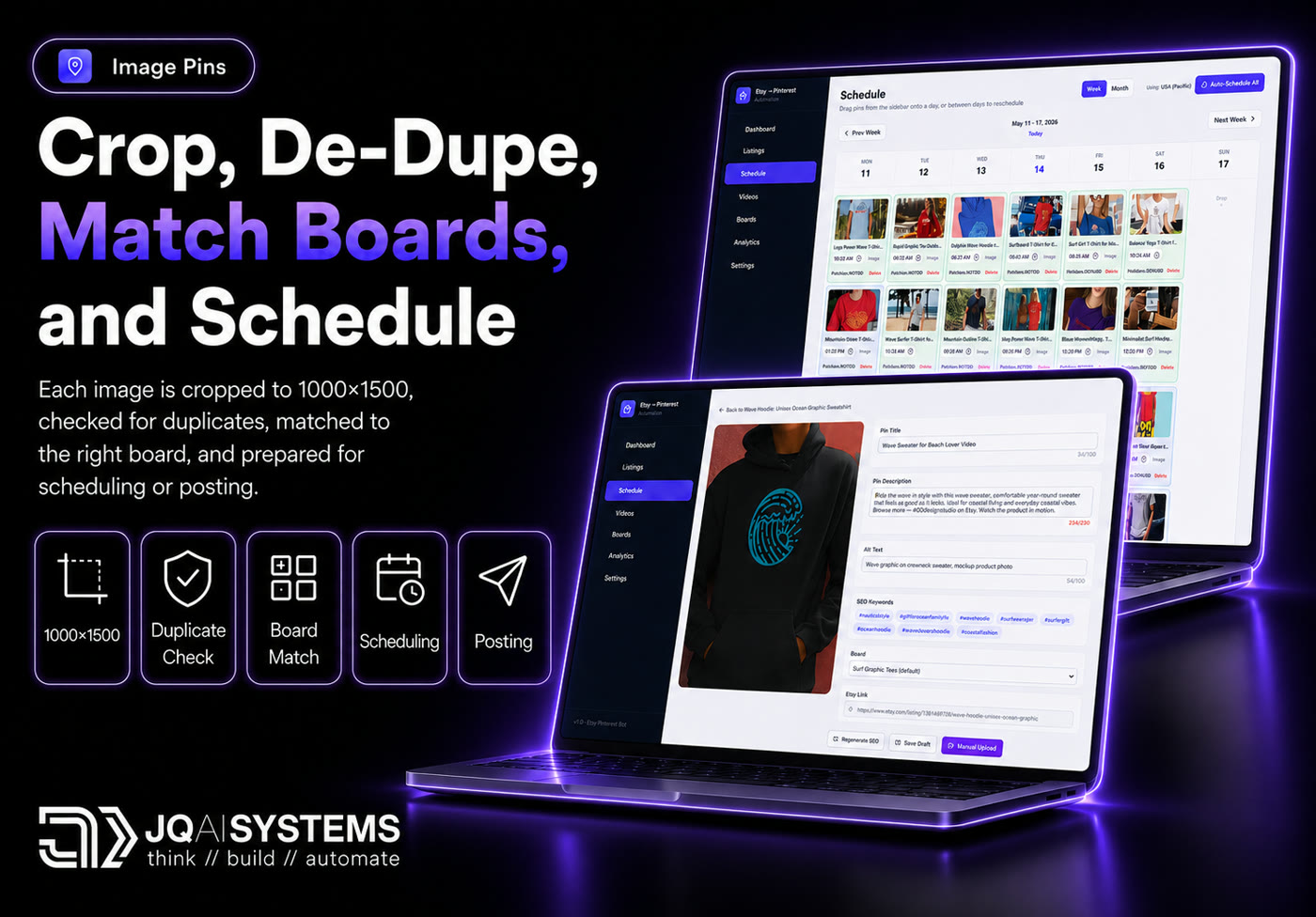
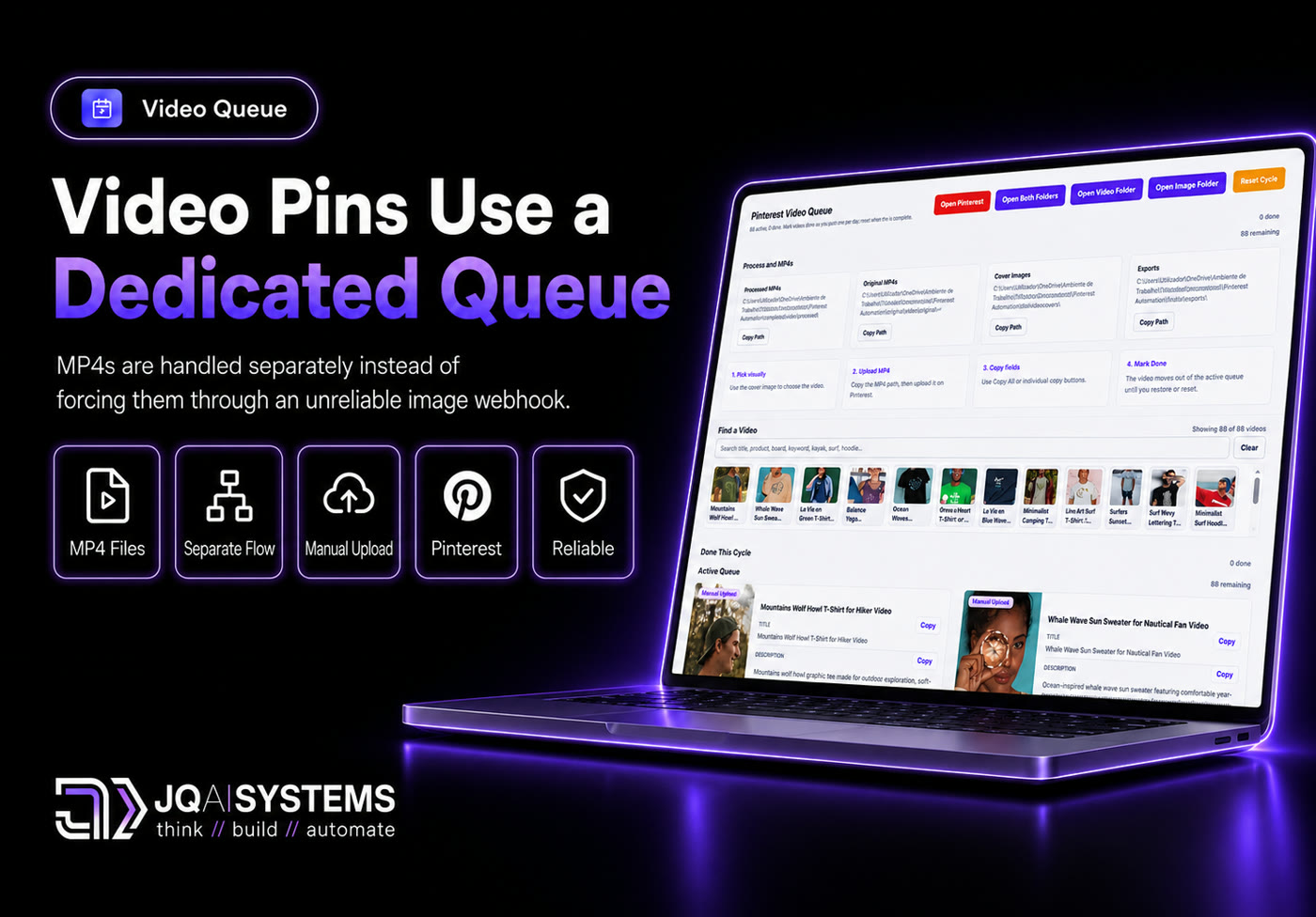
The system splits the workflow by media type. Image pins can be posted automatically. Video pins are prepared and exported for manual Pinterest upload.
Built with.
What changed.
The important change in this upgrade is separation of responsibility. Image pins are automated end to end, including Cloudinary re-hosting before Pinterest posting. Video pins are treated as a controlled manual queue, because that is the more reliable workflow for MP4 uploads. The system now makes that distinction visible instead of hiding it in failed webhook attempts.
Want a system
like this one?
Book a free 30-minute call. We map your situation, scope a similar build, and agree on a fixed quote before anything starts.
Book Free 30-min Call