A prompt library is where many good AI workflows begin. You find a repeated task, write the instruction once, save it, and stop rebuilding the same request from memory every time.
That is useful. It is also incomplete.
The work that matters in production is rarely just the prompt. It is the trigger, the input, the context, the output format, the review step, the safety boundary, and the habit of running the same workflow again without losing quality. Once those pieces exist, the prompt wants to become something sturdier.
It wants to become a skill.
That is the shift behind the JQ AI Skills library. The public repo is not just a place to store prompts. It is a small experiment in turning repeatable AI work into installable infrastructure: folders, metadata, assets, scripts, release notes, and reviewable workflows that an agent can use again later.
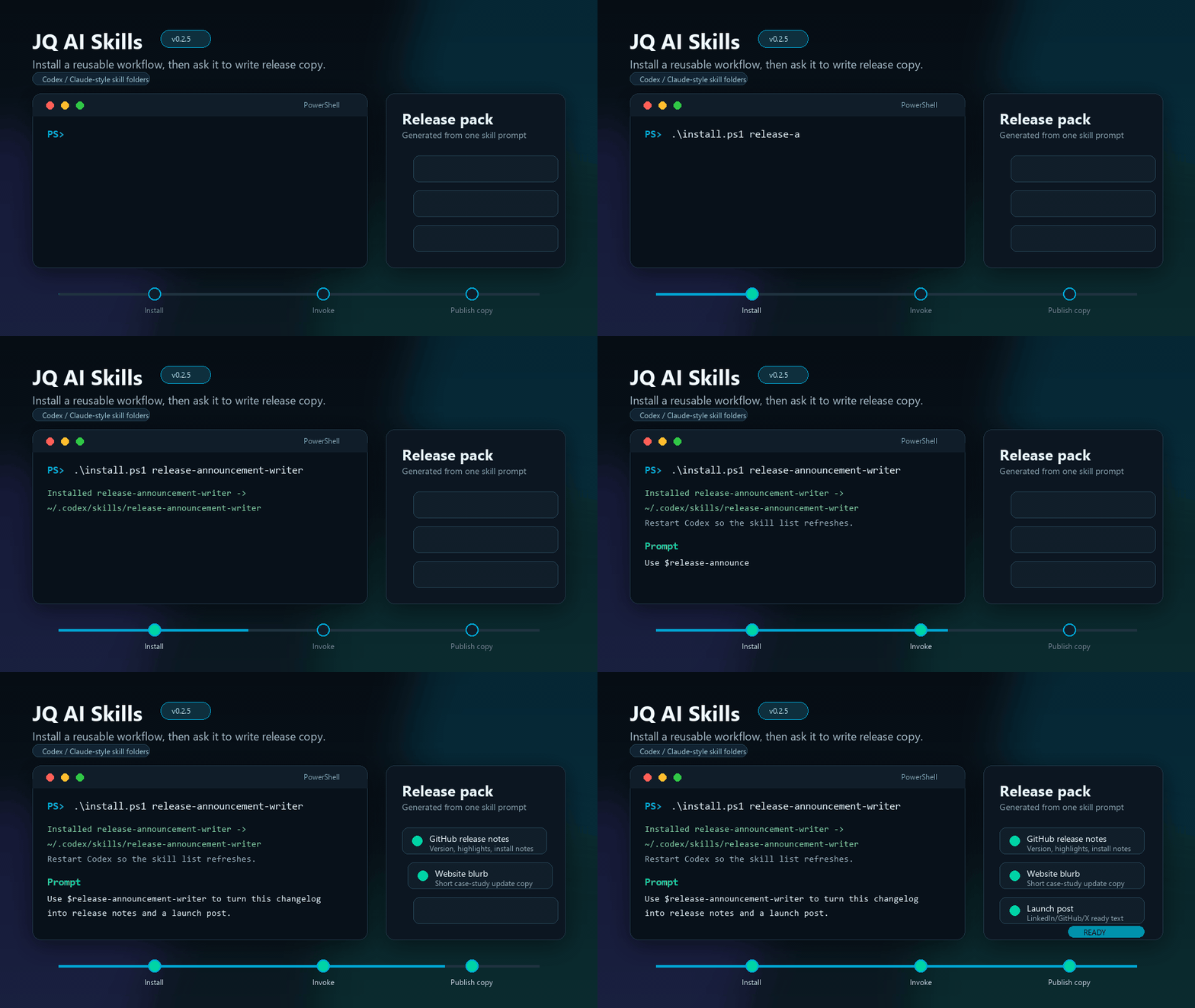
The prompt is not the unit anymore
The phrase "prompt library" made sense when most AI use happened in a chat box. You needed a better starting instruction. You needed a better structure. You needed a way to stop typing the same setup again and again.
But agentic coding tools changed the shape of the work. Codex, Claude Code, and similar environments do not only answer a prompt. They inspect files, run commands, edit code, generate assets, test locally, browse pages, and keep context across a working session.
When the environment can do that much, the reusable unit should not be a paragraph of instructions. It should be a workflow package.
Good for remembering what to ask. Still depends on the user to provide the right files, safety checks, output format, and follow-up steps.
Good for repeating a task. Carries instructions, trigger rules, supporting files, metadata, and review expectations into the agent environment.
This is the same argument I made in The Prompt Library Is Turning Into a Skill Library, but the practical step is important: a skill library only becomes useful when the skills are packaged, installable, and easy to choose.
What changes when a prompt becomes a skill
A good prompt tells the model what to do. A good skill tells the agent how to run a repeatable job.
That difference shows up in the details.
| Prompt library question | Skill library question |
|---|---|
| What should I ask? | When should the agent use this workflow? |
| What text should I paste? | What files, links, examples, or references should the agent inspect? |
| What output do I want? | What output contract should be stable every time? |
| What should I remember to check? | What verification steps belong inside the workflow? |
| Where do I save this? | How does someone install, review, update, and version it? |
The skill version is less romantic and more useful. It admits that repeatable AI work has operations around it.
For example, "write release notes" is a prompt. "Read the changelog, identify user-facing changes, avoid unsupported claims, write GitHub release notes, a website blurb, and a short launch post, then list assumptions" is a skill.
"Review this repo before publishing" is a prompt. "Inspect changed files, scan for secrets and private data, separate blocking issues from review warnings, require manual diff review, and return a verdict" is a skill.
The prompt is still inside the skill. It is just no longer carrying the whole workflow alone.
The folder is the contract
The simplest useful packaging pattern is a folder.
skill-name/
  SKILL.md
  agents/
    openai.yaml
  assets/
  references/
  scripts/
The folder is not decoration. It is the contract.
SKILL.md tells the agent what the skill does, when to use it, and how to run the workflow. The metadata file tells the interface how to display and invoke it. References hold longer guidance without bloating the core instructions. Scripts make repeated deterministic work reliable. Assets provide templates, demo files, or visual material when the workflow needs them.
This is why I prefer skill folders over a single giant prompt document. A folder gives the workflow room to grow without becoming unreadable. It also makes review easier. You can inspect one skill at a time, see what it can do, and decide whether it is safe to install.
If another agent or human opens this folder, can they understand what the workflow does, when to use it, what it may touch, and how to verify the result?
Installable means repeatable
A prompt is reusable when you can copy it. A skill is reusable when you can install it.
Installation does not need to be complicated. In the JQ AI Skills repo, a skill can be copied into a local Codex skills directory. In the current v0.8.1 release, the library has quick install scripts, categorized README navigation, a top-level Start Here path, a quick reference, visitor paths, a public proof index, a profile proof sample, a social proof sample, install and update guides, fake-data examples, sample artifacts, and GitHub Actions validation so the public skill folders are checked automatically as they evolve.
That sounds small, but small install friction is the difference between "interesting repo" and "thing I can try in one minute".
.\install.ps1 github-safe-publisher
.\install.ps1 case-study-writer
.\install.ps1 -All
Once installed, the skill becomes part of the local working environment. The user can ask for it by name:
Use $release-announcement-writer to turn this changelog
into release notes, website copy, and a short launch post.
That is the infrastructure move. The workflow stops being a note you have to remember and becomes a callable capability.
The JQ AI Skills example
The public jqai-ai-skills repo currently packages 23 public skill folders under the MIT license. They are grouped around the kinds of work I actually repeat while building, researching, publishing, and verifying AI systems.
The point is not that every skill is large. Some are deliberately small. em-dash-remover is a tiny copy-cleanup workflow. code-deduplicator is a development hygiene workflow. github-safe-publisher is a safety-sensitive publishing workflow with stricter review steps.
What matters is that each useful skill has a boundary. It knows what job it is for. It has a folder. It can carry supporting references, assets, or scripts where needed. It can be reviewed before installation. It can be versioned. It can be improved without rewriting the whole library.
That makes it different from a prompt pack. A prompt pack gives you text snippets. A skill library gives your agent small operating routines.
The latest public release at the time of writing is JQ AI Skills v0.8.1. That release adds profile proof refresh and social campaign proof tracking samples, so visitors can inspect how a public proof layer moves from GitHub release to profile copy, website references, social posts, published links, and follow-up review. It also keeps the release-to-showcase handoff proof sample, update-after-release proof, skill quality matrix, public proof index, quick reference, install guides, examples index, complete catalog, workflow bundle examples, and automated checks for skill structure, README asset links, installer behavior, and blocking public-safety findings.
Prompt-to-skill checklist
If you have a useful prompt and want to turn it into a skill, do not start with tooling. Start with the repeated job.
| Step | What to define | Why it matters |
|---|---|---|
| 1. Name the job | One clear workflow, not a broad department. | A skill should be easy to trigger and easy to refuse. |
| 2. Define the trigger | The user phrases, file types, or situations that should activate it. | The agent needs to know when the skill is relevant. |
| 3. List the inputs | Files, links, notes, examples, data exports, or screenshots. | Good output depends on predictable source material. |
| 4. Write the workflow | The steps the agent should follow every time. | This is where the prompt becomes operating procedure. |
| 5. Add review rules | Safety checks, quality checks, and approval points. | Repeatability without review just repeats mistakes faster. |
| 6. Package support files | References, scripts, templates, examples, and assets. | The agent should not rediscover stable context every run. |
| 7. Test on real work | Run it on a task you would actually do. | A skill that only works on a perfect example is still a draft. |
That checklist is intentionally practical. The goal is not to create a formal standard for every possible agent environment. The goal is to make repeated AI work easier to install, inspect, run, and improve.
What to build next
The next layer after installable skills is system-level composition.
One skill writes a public-safe case study. Another prepares release copy. Another checks a skill before installation. Another designs a human-reviewed outreach pipeline. Used separately, each one removes a repeated explanation. Used together, they become part of a studio operating system.
That is where AI work gets interesting for small teams. You do not need one giant autonomous agent that does everything. You need a library of small, reviewable routines that each know how to do one repeated job well.
This is how reusable AI workflows become installable infrastructure:
- Save the prompt.
- Run it until the repeated pattern is obvious.
- Package the procedure into a folder.
- Add metadata, references, assets, or scripts where they remove friction.
- Make it installable.
- Version it.
- Keep the human review step where judgment matters.
The prompt library is still useful. It is just no longer the end state. It is the sketch.
The skill library is the thing you can install.