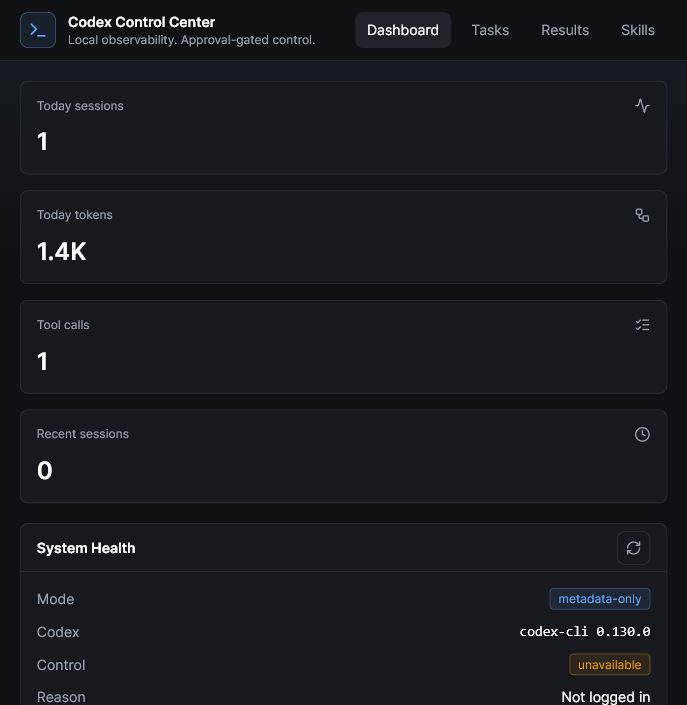
The Codex Control Center is a local-first dashboard for Codex, released as open source under the MIT license. It gives operators a safer way to observe local Codex metadata, understand recent activity, track best-effort usage signals, inspect workspace readiness, queue read-only tasks, review results, and prepare a public-safe package. No API key is required for local observation. A copyable public build prompt is also available for adapting the pattern to Codex, Claude Code, Cursor, or other coding LLMs.
The Problem
What was broken.
Codex is powerful, but the work around it can become scattered. Sessions, skills, usage signals, task results, local workspaces, and publishing checks often live in separate places. That makes it harder to understand what happened, what is safe to run next, and what is ready to share publicly.
The goal was to build a small local control plane for Codex without weakening privacy. Observation should not require an OpenAI API key. The dashboard should not read authentication files, expose full local paths by default, store raw prompts, publish logs, or turn task launching into an unattended automation risk.
The result is a local dashboard that treats safety as part of the product: metadata-only views, read-only defaults, explicit approval gates, workspace labels instead of private paths, and public-readiness checks before anything is pushed to GitHub.
The Approach
What was built.
The system is split into Observe Mode and Control Mode. Observe Mode reads local Codex metadata and safe generated fixtures to show activity, sessions, usage limits where available, skills, workspace health, publishing readiness, and system status. It does not call OpenAI and does not require an API key.
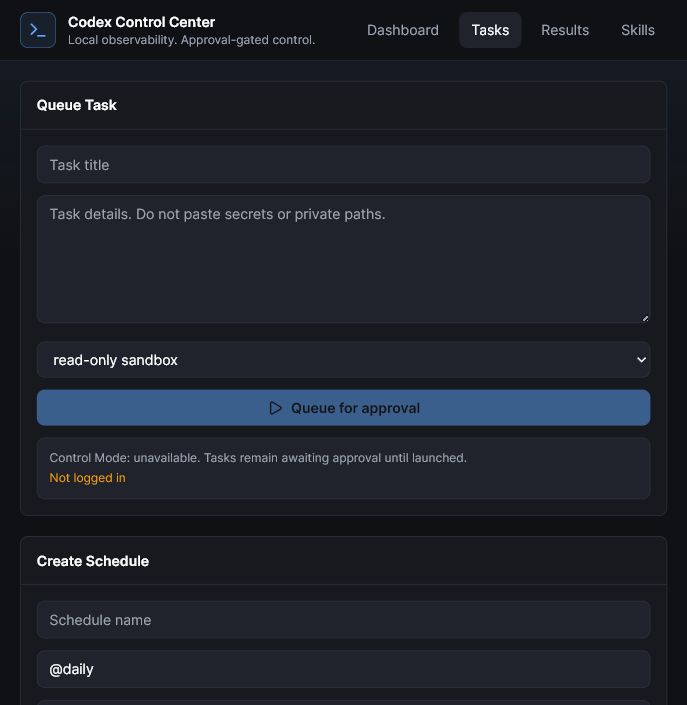
Control Mode is deliberately gated. Dashboard-launched tasks go through a queue, use the installed local Codex CLI, default to read-only sandboxing, and only run after approval. Workspace-write is intentionally harder to select, and full local paths stay hidden unless the operator explicitly reveals them in local-only detail views.
The public package includes a GitHub-ready source repository, fake fixtures, public safety documentation, an interactive demo, embedded video walkthroughs, and release notes. Private local metadata, credentials, raw prompts, logs, databases, and rendered local video drafts stay out of the public release.
How It Works
Architecture in plain English.
01
Local metadata sync
The dashboard reads local Codex session metadata and stores safe aggregates such as timestamps, event types, tool names, usage counters, usage signals, and redacted workspace labels.
02
Usage and readiness view
Account-level usage metadata is shown as best-effort local history, while the readiness score explains system and workspace health without reading private file contents.
03
Workspace picker
Tasks run against an explicit workspace. The UI shows safe labels, while real paths remain local-private in the database and are hidden from normal views.
04
Safe starter tasks
Beginners can choose public-safe task templates such as structure review, documentation gaps, security review, or a full safe workspace audit.
05
Approval-gated launch
Dashboard tasks stay queued until approved. The default sandbox is read-only, and the v1 app blocks dangerous full-access execution.
06
Results and follow-ups
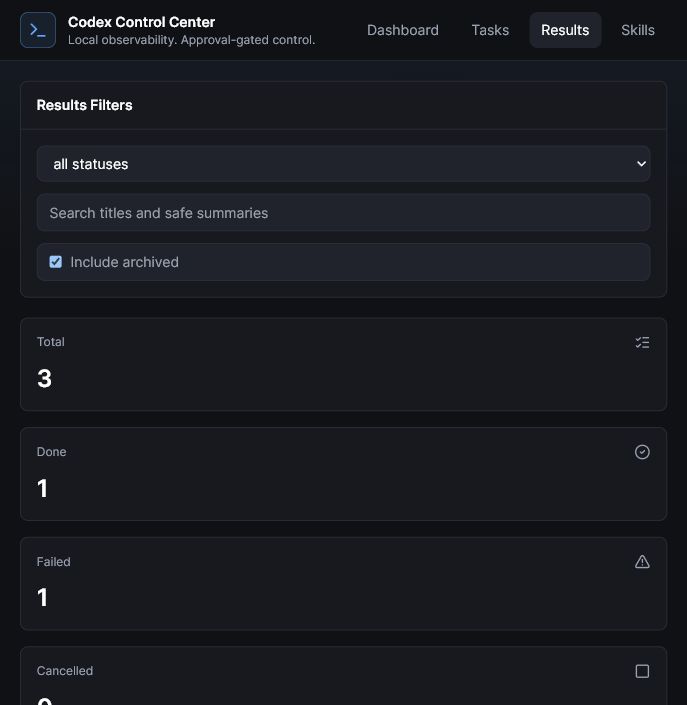
Results are summarized in a metadata-conscious view with follow-up actions, while raw task text and private logs are not exposed by default.
07
Publishing readiness
A public-safety checklist and scanner help keep local artifacts, credentials, logs, databases, raw sessions, and build outputs out of GitHub.
The demo uses fake, public-safe data to show the dashboard flow: usage remaining, readiness score, recent sessions, task queue, results, skills, and publishing checks.
No API key for observationRead-only by defaultApproval-gated tasksFake demo data
Three public videos show the launch story, the practical setup flow, and a browser walkthrough of the system using demo-safe visuals.
Official launchA short overview of the local-first Codex Control Center and the v0.1.0 public release.
Step-by-step tutorialHow to install, run, choose a workspace, queue safe tasks, and understand the read-only default.
Browser walkthroughA practical tour through dashboard, tasks, results, vault health, skills, and publish readiness.
Core screens
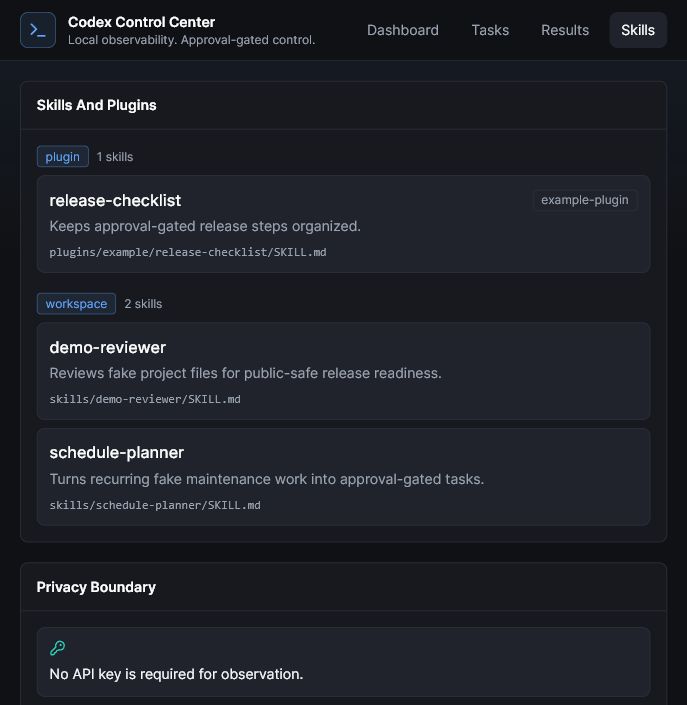
These screenshots are from the public-safe package and show the app surfaces without private vault data, raw prompts, logs, tokens, or local paths.
Tasks Read-only default, workspace-aware queue, and approval gate.Results Safe summaries, task states, and follow-up review flow.Skills Safe skill labels and local-only privacy boundary.
Public package
The public release includes source code, fake fixtures, safety docs, a GitHub Pages demo, three public videos, and a reusable build prompt for creating a similar local-first control center with Codex, Claude Code, Cursor, or another coding LLM. It does not include private Codex metadata, auth files, raw prompts, local paths, logs, databases, or rendered local drafts.
Use this as a public-safe starting point, then ask Codex, Claude Code, Cursor, or another coding LLM to adapt paths, commands, event formats, and sandbox controls for your setup.
Ready to copy
Safe operating loop
The system keeps the flow simple: observe local metadata, choose a workspace, queue a read-only task, approve the run, review the result, and publish only after a safety check.
MITopen-source license, public GitHub repo and demo
The useful outcome is control. Codex Control Center turns local agent activity into something visible, reviewable, and shareable without turning private workspace data into public material. It is a small control plane for safer Codex operations.
When enabled, each question is processed by Cloudflare AI and checked for abuse with Turnstile. No chat history is stored by this app. Please leave out private information.