A prompt by itself is not an operating system. It can start a useful build, but it does not give you visibility, approval gates, privacy rules, logs, or a way to stop a runaway task.
That is the useful lesson behind Codex Control Center. The public project is a local-first dashboard for observing Codex activity and launching approval-gated work. The reusable part is bigger than Codex: small teams need a pattern for letting AI agents work locally without handing them the whole machine, the whole repo, or the whole business.
So I turned the system into a public-safe build prompt. You can copy it, adapt it, and ask a coding LLM to build a similar control center for your own setup. The important bit is not the exact UI. The important bit is the safety model: local-first observation, metadata-only storage, fake fixtures, read-only defaults, and human approval before execution.
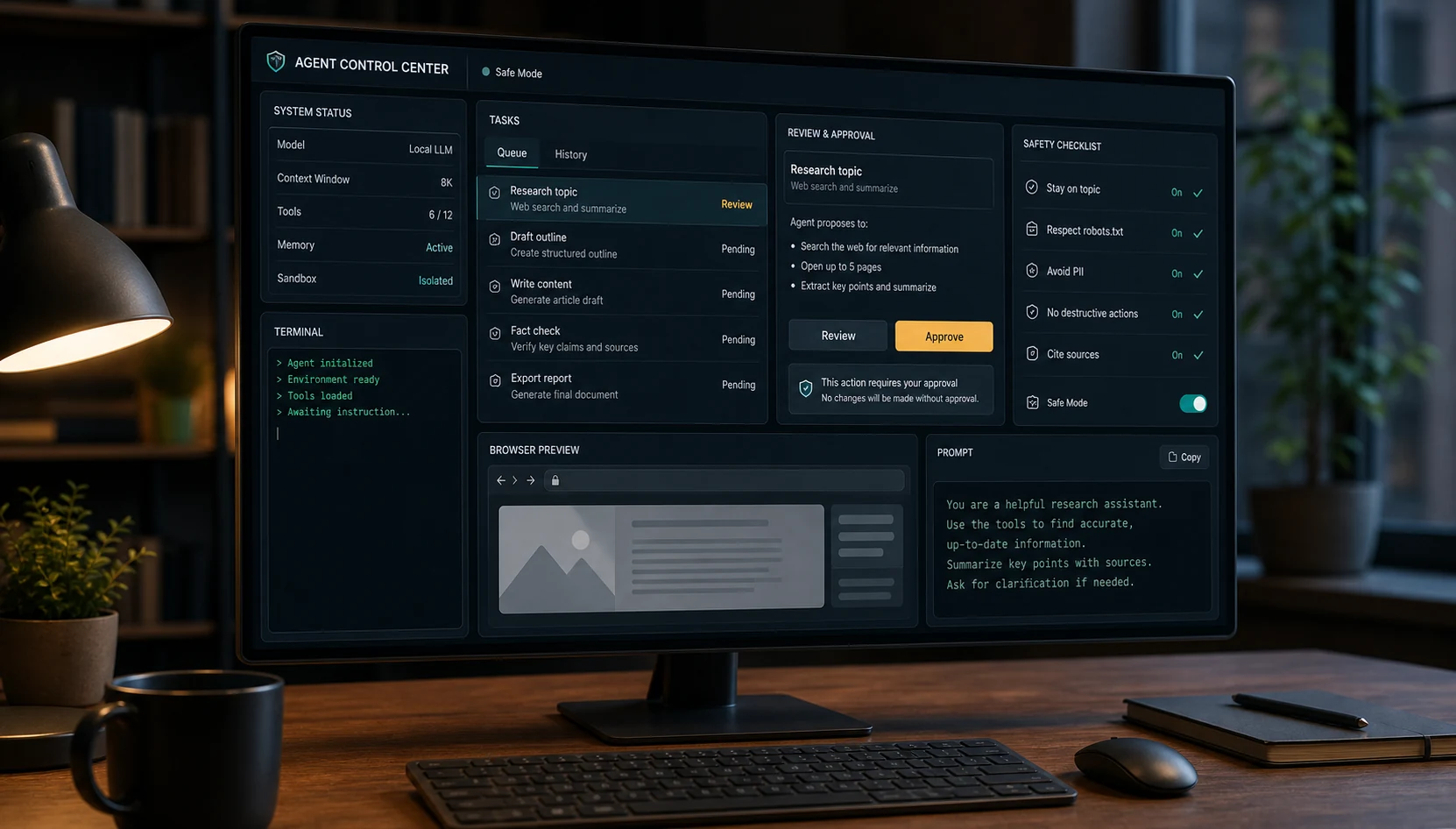
Why agent control centers matter now
Coding agents are moving from "write this function" toward "operate inside my workflow." Codex can run locally from the terminal, inspect a selected directory, edit files, and run commands. Claude Code has hooks and permission events. Cursor and similar tools are getting more agentic. The agent is no longer just answering a question; it is touching the working environment.
That shift changes the product requirement. A useful agent setup needs more than a clever instruction. It needs a control layer that answers practical questions:
- What is the agent allowed to read?
- What is it allowed to write?
- Which tasks require approval?
- What did it do last time?
- What should be hidden from public demos and GitHub?
- How does the human stop or review work before it spreads?
OpenAI's safety writing around Codex points at sandboxes, approvals, and agent-aware telemetry. Microsoft is using the language of observability and governance for agents. Claude Code's hooks make tool events programmable. Different ecosystems, same direction: agents need a visible operating layer.
What the public prompt builds
The prompt asks the LLM to build a local AI agent control center. In the Codex version, Observe Mode reads local Codex metadata, and Control Mode launches approved tasks through the local Codex CLI.
The expected app is simple in concept:
- Dashboard: health, recent activity, usage signals, and privacy posture.
- Tasks: a queue where new work starts as awaiting approval.
- Results: safe summaries and metadata rather than raw private output.
- Skills: discovered local skill or plugin metadata without exposing private paths.
- Publishing checks: reminders and scanner logic for keeping secrets, logs, databases, and private screenshots out of public repos.
The recommended stack is deliberately ordinary: Python, FastAPI, SQLite, Vite, React, TypeScript, Tailwind, React Query, and lucide icons. No cloud dependency is required for local observation.
The public demo uses fake fixtures and demo-safe screenshots, so people can inspect the product shape without seeing private local sessions, prompts, paths, or logs.
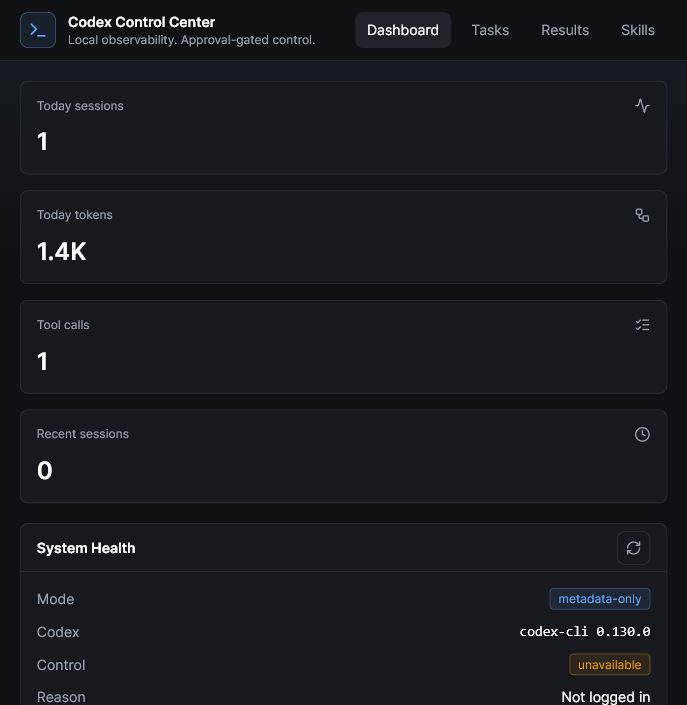
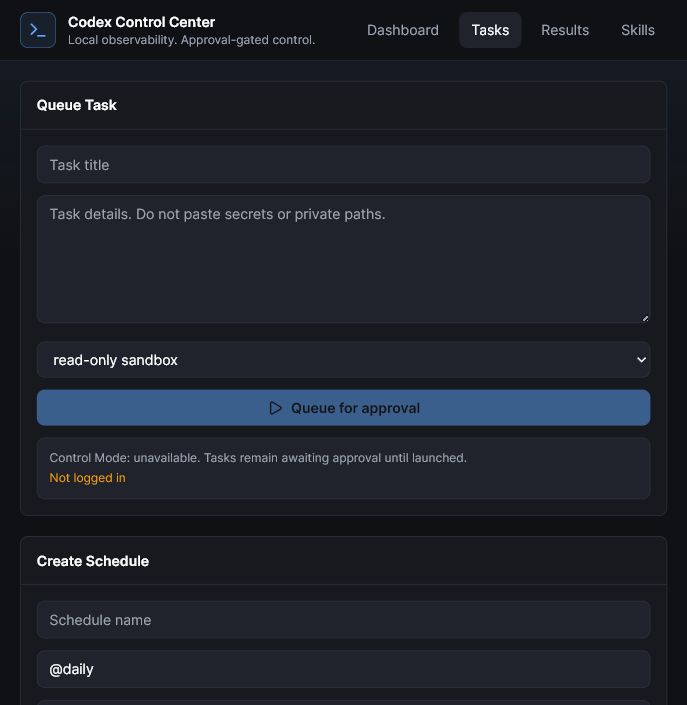
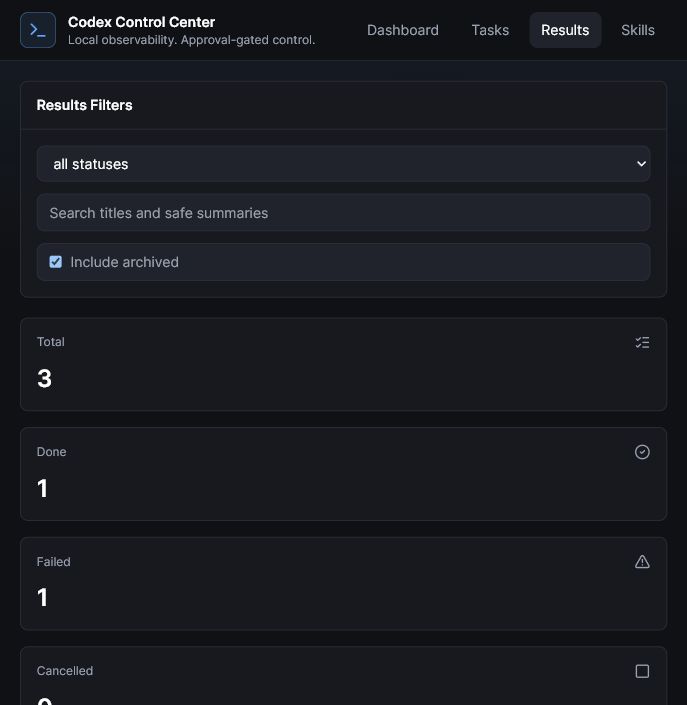
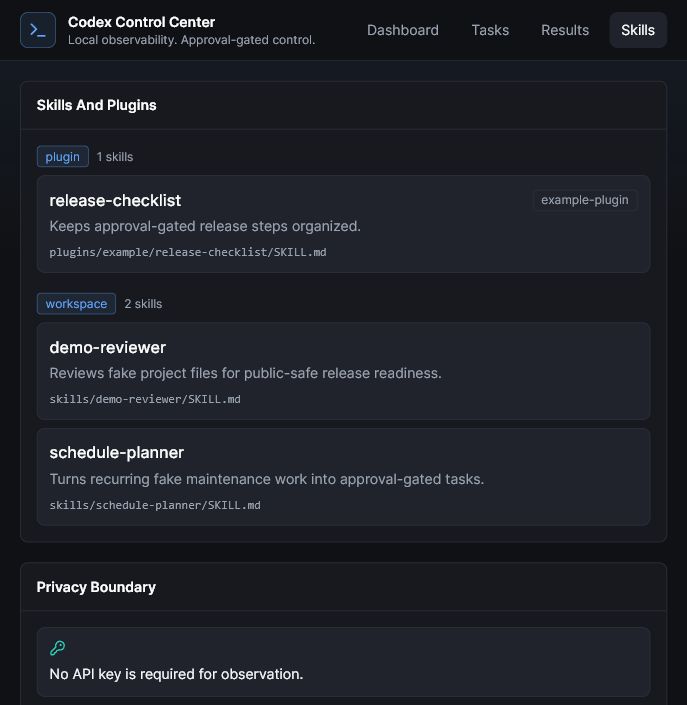
The dashboard can be redesigned. The stack can be swapped. The useful part is the operating rule: observe locally, store metadata, ask before running tasks, and never turn private workspace data into public proof.
What the prompt deliberately avoids
The prompt is intentionally strict because the tempting version of this project is dangerous. A dashboard that reads everything, stores everything, and screenshots everything would be easier to build. It would also be a privacy mess.
The public-safe version says no to:
- auth files;
- API keys and tokens;
- raw prompt text;
- assistant output;
- raw command output;
- absolute local paths;
- private logs and databases;
- screenshots with private UI;
- unattended dangerous execution.
That is why the prompt requires fake fixtures and a public-safety checklist. If the generated app cannot explain what it reads, what it stores, and what it never touches, it is not ready.
How to adapt it for Codex, Claude Code, Cursor, or another LLM
The prompt is written with Codex in mind because Codex Control Center is the reference project. But the pattern is portable.
| Tool | What to adapt | What stays the same |
|---|---|---|
| Codex | Use Codex session metadata and local CLI commands. | Read-only defaults, approval gates, metadata-only views. |
| Claude Code | Use Claude Code session paths, hooks, permissions, and tool events. | Human review before risky actions and no private logs in public output. |
| Cursor | Use Cursor's workspace behavior, agent settings, and available local metadata. | Scoped workspace, fake fixtures, and explicit task approval. |
| Other LLMs | Map the CLI, event format, sandbox model, and file locations. | The privacy boundary and control model. |
The adaptation request should be explicit. Before asking the model to build, say: "First identify the correct local session paths, CLI commands, sandbox controls, and event formats for this tool. Preserve the privacy requirements exactly."
The browser walkthrough below shows the finished control-center shape using demo-safe data. The launch video is useful context too, but I would keep this post focused on the tutorial and hands-on tour.
Copy the prompt
This is the public-safe build prompt. It is designed to be useful without exposing private project details. Start with fake fixtures, review generated code before running it, and keep real credentials out of the workspace.
Copy the public-safe build prompt
Paste this into Codex, Claude Code, Cursor, or another coding LLM. Ask it to adapt the tool-specific paths and commands before it starts building.
Before you run it
Before you paste the prompt into a coding agent, use this small checklist.
- Use a new folder. Do not build inside a private production repo.
- Start with fake fixtures. The first version should not need real session data.
- Keep secrets outside the workspace. No auth files, API keys, tokens, databases, or private exports.
- Ask for a plan first. Make the agent explain local paths, commands, and storage before writing code.
- Default to read-only. Any write permission should be explicit and narrow.
- Review generated code. Especially file readers, process launchers, subprocess commands, and public demo logic.
- Run the scanner. Before GitHub, scan for secrets, local paths, logs, databases, and private screenshots.
This is the same pattern I use when turning private systems into public proof: publish the workflow and the boundary, not the private data that made the internal version useful.
Open the interactive demo, copy the prompt, then ask your coding agent to adapt it to your toolchain before it writes files.