OpenAI's new Codex announcement is not just another "AI can code" update. It is a clear move toward Codex as a workflow platform: plugins for roles, Sites for shareable internal apps, and annotations for review.
That is the useful signal for builders and operators. Codex is being packaged less like a single assistant and more like a place where work gets assembled, connected, inspected, shared, and improved.
In plain English: OpenAI is turning Codex into a work surface for agents.
Source note
The factual spine of this post is OpenAI's official June 2, 2026 article, Codex for every role, tool, and workflow, plus OpenAI's Codex documentation for plugins, Sites, and agent approvals.
I am not treating every demo as proof that every company should move all work into Codex today. The stronger conclusion is narrower and more useful: OpenAI is packaging agents around roles, tools, artifacts, and review loops.
What OpenAI announced
OpenAI says more than 5 million people now use Codex every week. The company also says non-developers, including analysts, marketers, operators, designers, researchers, investors, and bankers, make up about 20 percent of overall Codex users and are growing more than 3x as fast as developers.
The product announcement has three major pieces:
- Role-specific plugins: six packaged workflows for data analytics, creative production, sales, product design, public equity investing, and investment banking.
- Sites: a preview feature where Codex can create and share interactive hosted websites and apps inside a workspace.
- Annotations: a way to point at the exact part of a document, spreadsheet, slide, site, or code artifact and ask Codex to explain or change it.
This is not only feature expansion. It is a shift from "agent writes code" to "agent packages role-specific work."
| Feature | What it changes | Why operators should care |
|---|---|---|
| Plugins | Codex can load role-specific tools, skills, instructions, and workflows. | Repeatable work becomes installable instead of re-prompted every time. |
| Sites | Codex can turn analysis or plans into hosted dashboards, hubs, planners, and lightweight apps. | The deliverable can be a working surface, not only a doc or slide. |
| Annotations | Feedback can target the exact part of the artifact that needs work. | Review becomes more precise and less chatty. |
Role plugins are workflow packages
OpenAI says each role-specific plugin bundles relevant apps, skills, instructions, and workflows. Together, the six announced plugins include 62 popular apps and 110 skills.
That bundling is the point. A useful agent does not only need a model. It needs:
- the right source systems;
- the right skills and instructions;
- the right output format;
- the right permissions;
- the right review path.
The announced plugin categories map cleanly to real business jobs:
- Data analytics: explore product and business data, explain metric changes, and create reports or dashboards.
- Creative production: turn briefs into campaign boards, ad variations, product shots, and creative assets.
- Sales: prepare for meetings, find account signals, complete follow-ups, update records, and review deal risk.
- Product design: explore directions, audit flows, prototype from a URL, and make static screens interactive.
- Public equity investing: review earnings, compare companies, track signals, and test investment theses.
- Investment banking: prepare pitch materials, analyze comparables, and turn diligence into recommendations.
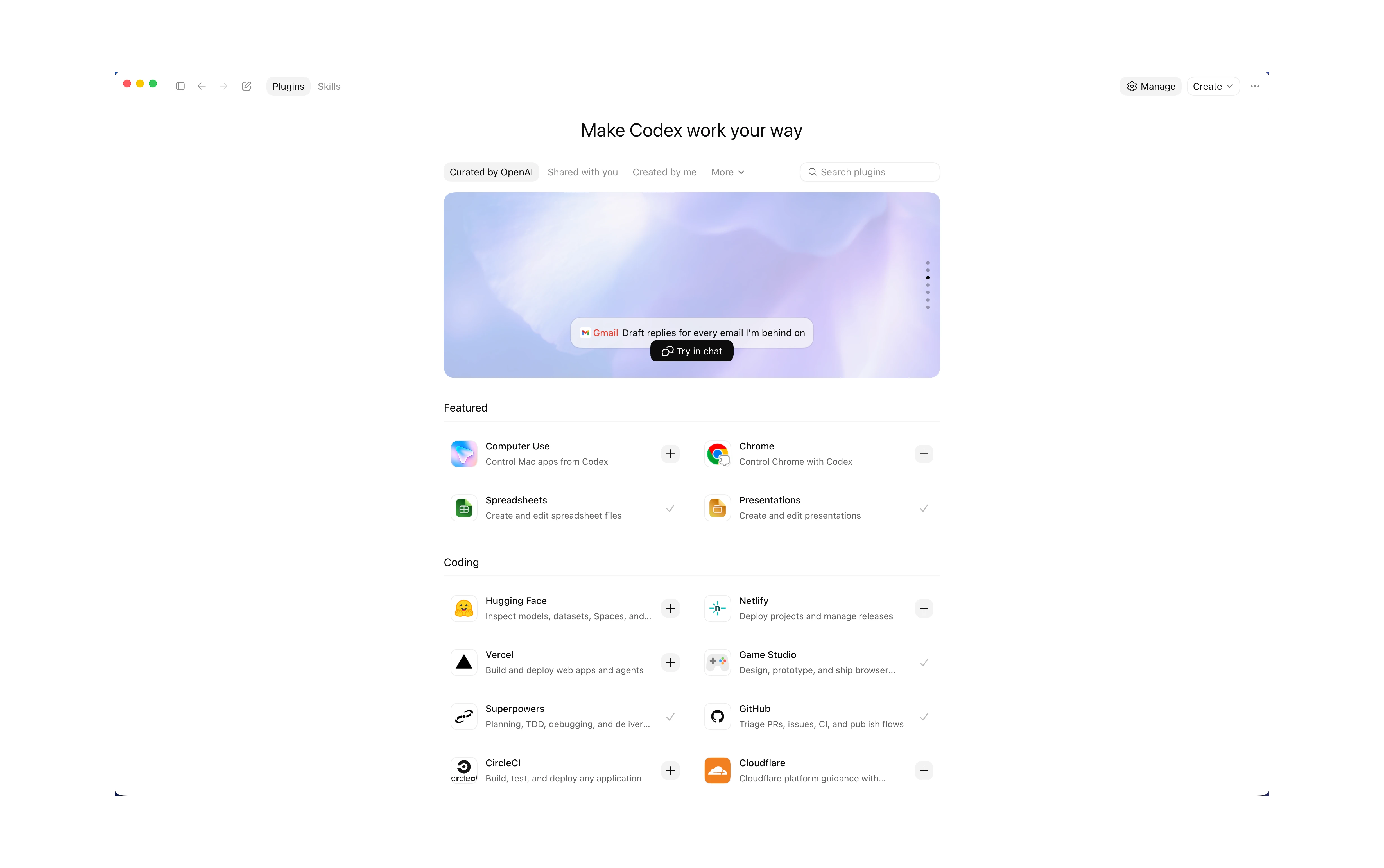
This is why I keep coming back to the same idea: plugins are becoming the workflow layer. A connector gets the agent into a tool. A plugin should teach the agent how the work is supposed to happen.
Official Codex demos
OpenAI has official video demos that show the direction behind this announcement: Codex creating shareable apps, preparing sales work, and building frontends. These are useful because they show the product pattern better than a feature list.
Sites turns deliverables into small apps
Sites is the most interesting part of the announcement for business workflows.
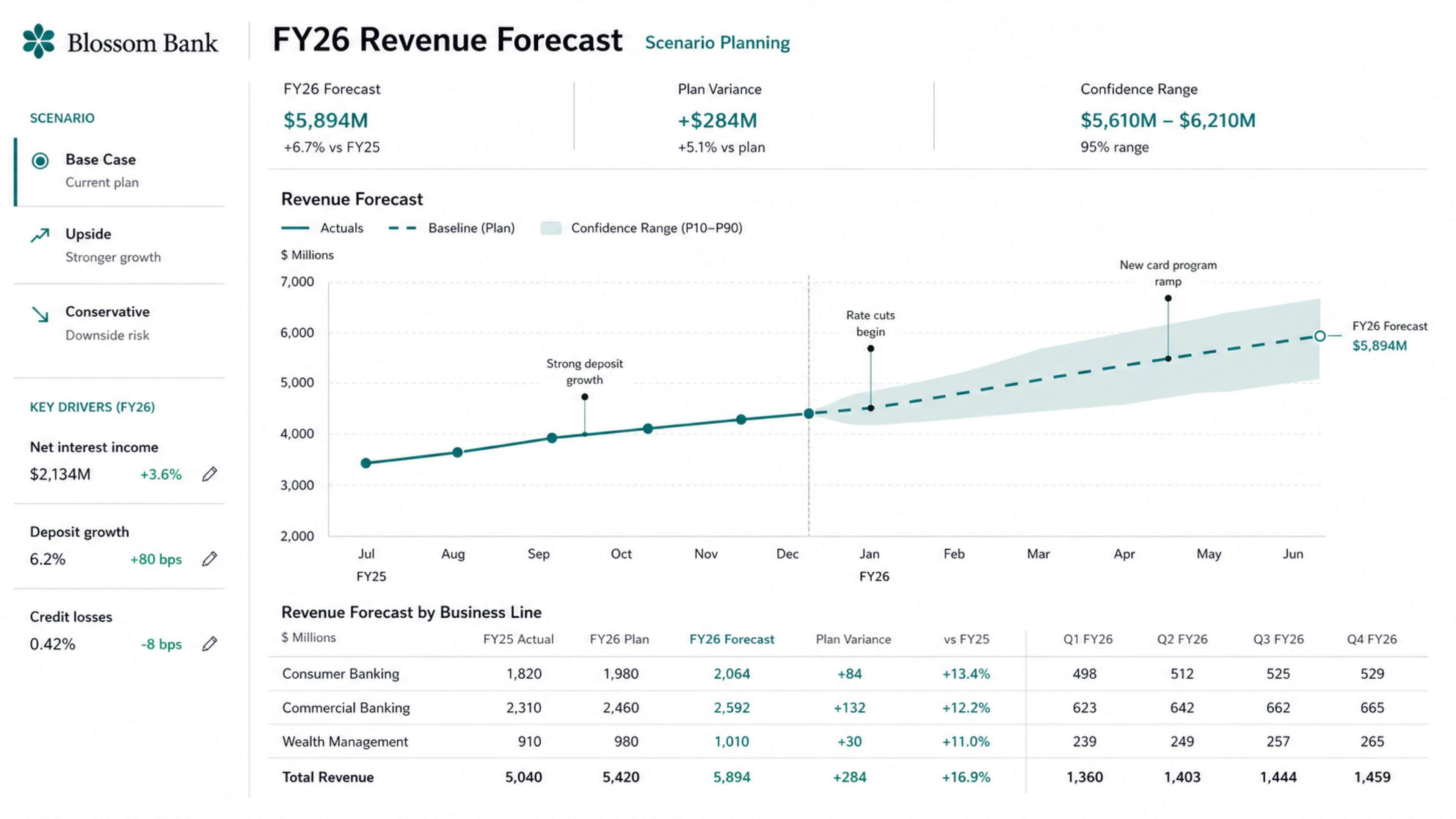
OpenAI describes Sites as a way for Codex to create and share interactive hosted websites and apps. The examples include customer review pages, scenario planners, launch hubs, event dashboards, revenue forecast planners, galleries, project boards, and lightweight tools.
That changes what the output can be. The deliverable is no longer limited to text, a spreadsheet, or a slide deck. The deliverable can be a small app.
A few practical examples:
- A customer-success team asks for a customer review hub with usage trends, risks, next steps, and owners.
- A finance team asks for a scenario planner that lets leadership change assumptions instead of reading a static model.
- A launch team asks for a project hub with latest messaging, milestones, decisions, blockers, and owners.
- A support team asks for an internal guide that reps can search while handling customer issues.
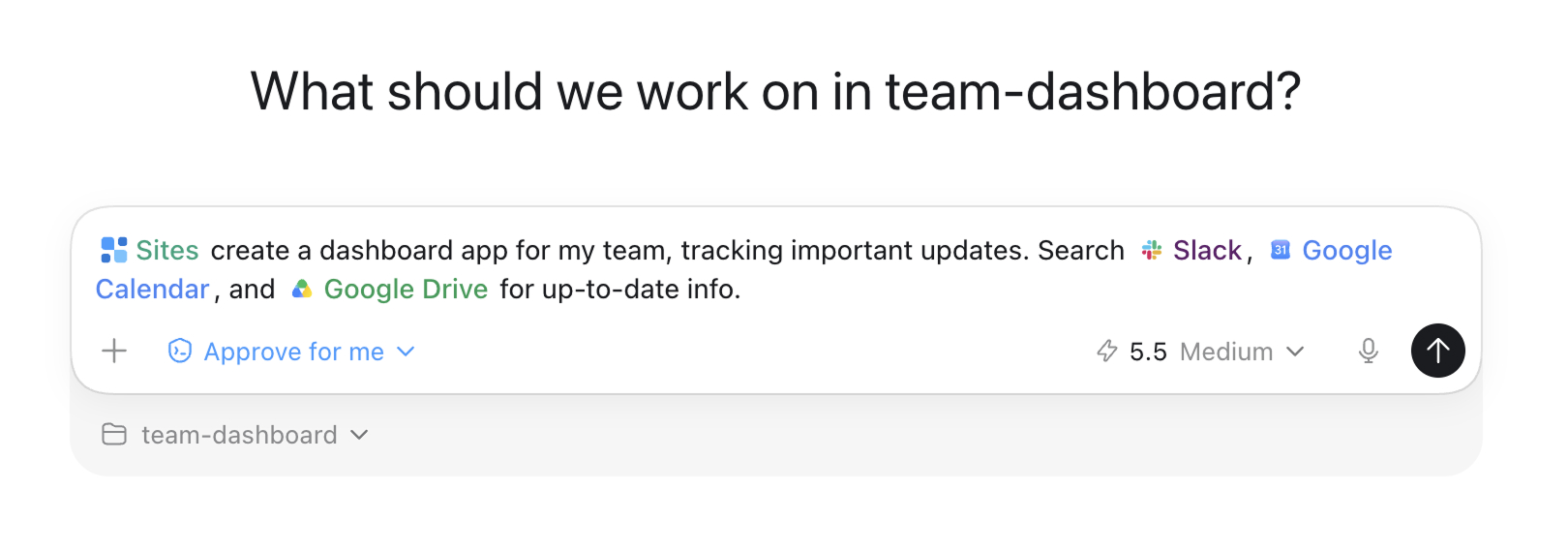
The catch is governance. OpenAI's Sites documentation separates saving a version from deploying a version. That distinction matters because a deployed URL is real. For internal work, you still need review, access control, secret handling, and a clear audience before sharing.
Annotations make review less vague
Annotations are easy to underestimate because they sound like a UI feature. They are more than that.
OpenAI says annotations let a user point to the exact part of a Codex-created artifact and ask for an explanation or change. Examples include selecting a site navigation bar, highlighting a claim in an investment thesis, or marking a chart on a slide.
That solves a real workflow problem. Chat feedback is often imprecise:
- "Make this clearer."
- "That chart feels wrong."
- "The tone is off."
- "Where did this number come from?"
With annotations, the review becomes anchored to the artifact. The human points at the thing. Codex updates the thing. The rest of the work can stay stable.
This is how agent work moves closer to normal team review. It starts looking less like chatbot prompting and more like Figma comments, Google Docs suggestions, spreadsheet notes, or pull request review.
The operator lesson
The lesson for small teams is not "wait until you get every new Codex feature." The lesson is to copy the architecture.
A good AI workflow has six parts:
- Role: Who is the agent helping?
- Context: What source material should it use?
- Tools: What systems can it read or act inside?
- Artifact: What should it produce?
- Review: Where does a human inspect and edit?
- Deployment: Where does the final version live?
That is the actual pattern behind Codex role plugins, Sites, and annotations. This is also why Codex is starting to look like a work app inside ChatGPT. The agent is not just answering. It is moving work through a lifecycle.
Ask ChatGPT for a report. Paste random context. Copy the answer into a doc. Hope it is right.
Use an installed workflow, load approved sources, generate a reviewable artifact, annotate precise changes, and deploy only after approval.
Implementation checklist
If you want to apply this pattern in your business, start smaller than the OpenAI demo.
- Choose one role. Sales, operations, marketing, finance, product, support, or leadership.
- Choose one repeated deliverable. Weekly report, deal brief, customer review, launch hub, proposal, dashboard, or project board.
- List the source systems. CRM, docs, email, Slack, spreadsheet, data warehouse, ticket system, folder, or analytics tool.
- Define read permissions. The agent should read only what the workflow needs.
- Define write permissions. Draft-only is a safer default than updating records or sending messages.
- Define the artifact. Decide whether the output should be a doc, spreadsheet, deck, site, app, dashboard, task list, or CRM update.
- Add review gates. Use annotations, comments, approval queues, or saved versions before publishing or sending.
- Log the run. Track source data, prompts, tool calls, edits, approvals, and final output.
- Review plugin permissions. OpenAI's plugin docs say existing approval settings still apply, and external services keep their own terms, privacy, authentication, and data-sharing policies.
- Measure the workflow. Time saved, fewer errors, faster follow-up, better reporting cadence, or cleaner handoff.
CTA: Do not copy the plugin list. Copy the pattern: role, context, tools, artifact, review, and deployment.
Sources
- OpenAI: Codex for every role, tool, and workflow
- OpenAI Codex docs: Plugins
- OpenAI Codex docs: Sites
- OpenAI Codex docs: Agent approvals and security
- OpenAI Help Center: Plugins in Codex
- OpenAI video: Build and share apps in Codex
- OpenAI video: Prep for sales meetings faster with Codex
- OpenAI video: Build beautiful frontends with OpenAI Codex
The practical takeaway is simple: the next agent advantage is not only a stronger model. It is a better workflow package around the model, with context, tools, artifacts, permissions, and review designed from the start.