Batch metadata,
validated first.
Reads image batches visually, writes Adobe-ready titles, exactly 46 ordered keywords, and asset-level category IDs, then validates the CSV before submission.
What is Adobe Stock Uploader?
The Adobe Stock Uploader is an internal image-metadata workflow for Adobe Stock batches. It visually reviews each asset, creates a unique buyer-search title, generates exactly 46 ordered lowercase keywords, assigns Adobe category IDs, normalizes CSV filenames, then validates banned terms, duplicate tags, title length, categories, unique filenames, and submission risks before upload.
What was broken.
Running an Adobe Stock Contributor portfolio at scale means the bottleneck is not only writing metadata. The risk is writing metadata that looks good at a glance but fails in the details: repeated keywords, bad ordering, prompt parameters leaking into titles, brand or artist references, wrong file extensions, missing category values, or batches that are too visually similar.
The first version proved the core idea: AI could turn a folder of images into a usable CSV. The upgraded workflow is stricter. It treats metadata as a validation problem as much as a writing problem, because one small rule miss can slow down an entire batch.
The goal of the upgraded workflow is simple: inspect the actual image, write buyer-friendly metadata, assign the right Adobe category, normalize the file names for upload, then catch common Adobe Contributor risks before the CSV ever reaches the portal.
What was built.
The upgraded workflow keeps the original batch idea but adds more production discipline. Every file is visually reviewed, not guessed from the filename. Titles are written around the visible subject and commercial search intent. Keywords are generated as exactly 46 single-word tags, with the most important title concepts placed in the first 10 positions where ordering matters most.
The workflow also assigns Adobe Stock category values. Adobe treats categories as optional but highly recommended for discoverability. The portal may show localized names, like Construções e Arquitetura, Comida, or Tecnologia, but the CSV stores the numeric Adobe category ID from 1 to 21. That keeps batch import precise even when the interface language changes.
The workflow also cleans up upload-specific details: PNG inputs are represented as JPEG filenames in the CSV, banned metadata terms are blocked, duplicate tags are rejected, category values are checked, and titles stay inside Adobe limits. Generative AI portal reminders are kept separate from the CSV so the user still checks the right boxes manually inside Adobe Stock Contributor.
The proof run behind this upgraded workflow produced 108 CSV rows with exactly 46 unique lowercase keywords per row, valid numeric categories, unique filenames, titles within the length limit, and no banned keyword terms in the validation log.
Architecture in plain English.
See it in action.
Watch the upgraded pipeline in action: visual batch review, exactly 46 ordered keywords per asset, Adobe category assignment, CSV filename normalization, validation, duplicate risk flags, and the final Adobe Contributor portal checklist.
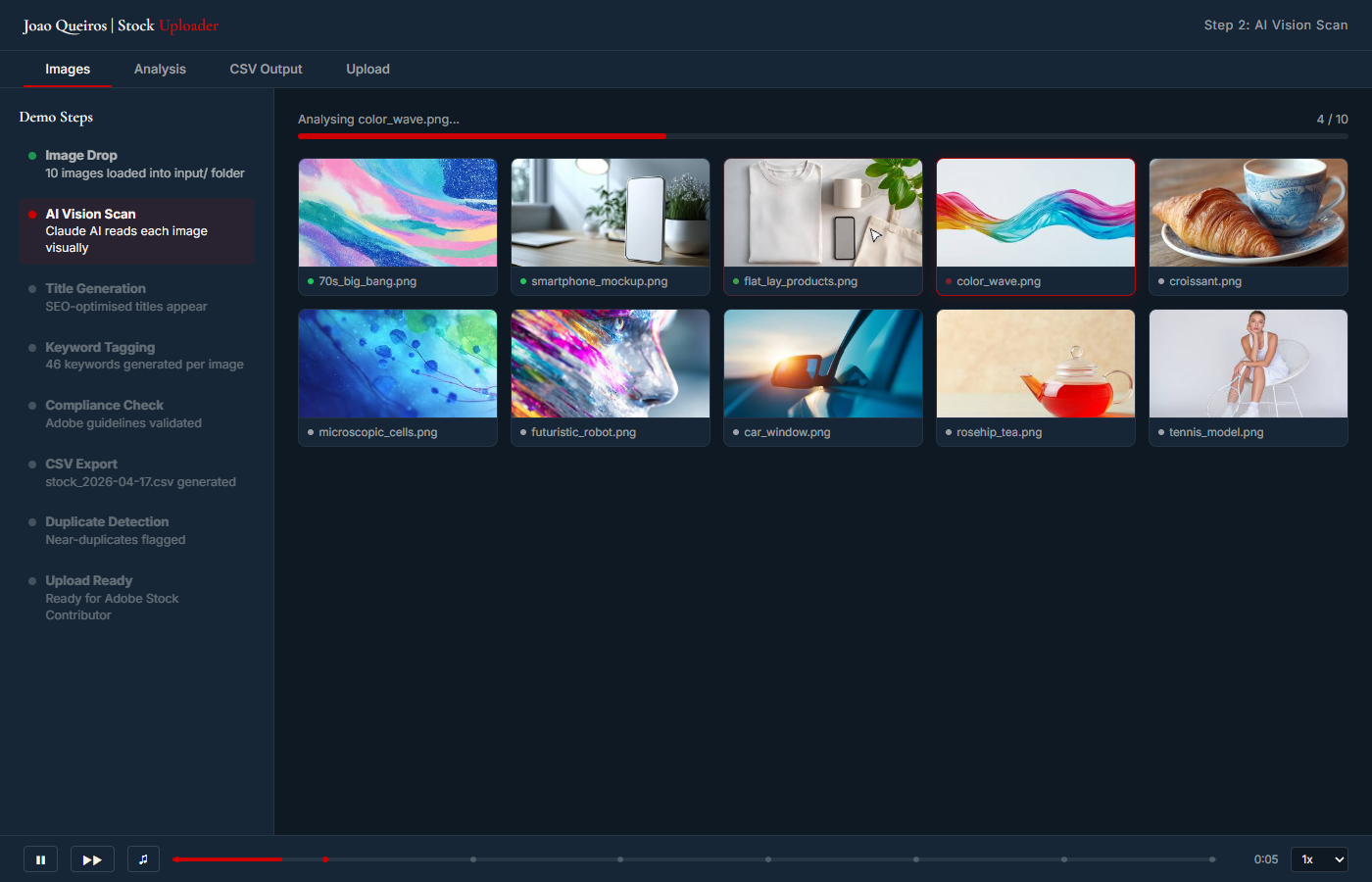
Guided walkthrough with sample data. The live workflow still requires human final review inside Adobe Stock Contributor.
Folder of images in, validator-clean CSV out. The risk gate catches metadata issues, category mismatches, duplicate content, and portal reminders before handoff.
Built with.
What changed.
The useful upgrade is not that the system writes nicer tags. It is that the workflow now proves the boring constraints before handoff: exact keyword count, lowercase uniqueness, clean filenames, valid category IDs, banned-term filtering, and risk notes for duplicates or trademark issues. That makes the output easier to trust before the human does the final Adobe portal review.
Want a system
like this one?
Book a free 30-minute call. We map your situation, scope a similar build, and agree on a fixed quote before anything starts.
Book Free 30-min Call