Know the business before the discovery call.
Research the client, prepare useful questions, anticipate objections, and keep decisions visible while the meeting develops.
 Windows Beta · Private and On-Device
A private, on-device preparation studio and live meeting copilot for client calls, hiring interviews, pitches, and job interviews.
A short film I made entirely in code: type, motion and sound, built from the product’s own brand. Turn the sound on. The full film follows below.
How it was made →See how research, rehearsal, live support, and the post-meeting report stay connected.
Private by design: microphone and meeting audio are transcribed on the computer. Only selected prompt text leaves when the user asks their signed-in AI assistant for help.
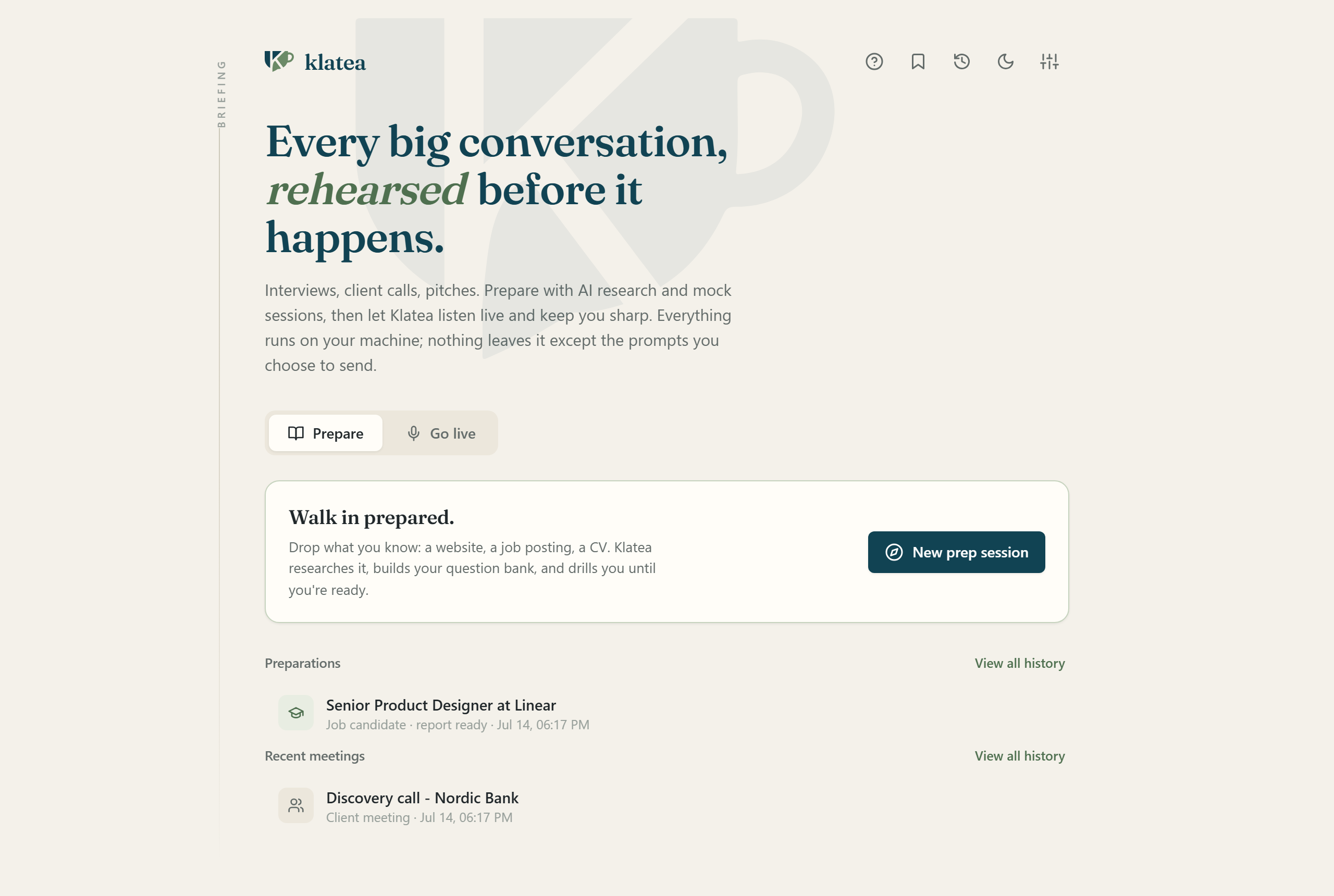
Klatea is a Windows preparation studio and live meeting copilot. It researches the conversation ahead, runs tailored mock sessions, transcribes both sides locally, translates in real time, surfaces useful prompts, tracks talk time, and turns the meeting into a clear debrief. Audio stays on the user's computer; only selected prompt text is sent through the AI assistant they already use.
Important conversations are rarely one task. The useful context is scattered across a website, a CV, a job description, a brief, rehearsal notes, the meeting itself, and the follow-up. By the time the call starts, much of the preparation has already been separated from the moment where it matters.
The privacy constraint is just as important. A meeting tool should not need to upload the raw conversation simply to produce a transcript, translation, or useful prompt.
Klatea keeps the complete conversation loop in one Windows workspace. Before the call, it can research the other side, build a tailored brief, generate questions and objections, and run a spoken or typed mock session. The resulting preparation travels into the live meeting as context.
During the call, Klatea captures the microphone and system audio as two distinct sides, transcribes both locally with faster-whisper, and can translate supported languages with a local NLLB model. Suggestions, summaries, and research use the user's existing Claude or Codex CLI session, so there is no separate API key or per-minute audio service.
The brief changes with the conversation instead of forcing every meeting into the same template.
Research the client, prepare useful questions, anticipate objections, and keep decisions visible while the meeting develops.
Build questions from the candidate's CV and the role, with listen-for signals and red flags that support human judgment.
Rehearse positioning, difficult questions, objections, and the moments where a clearer answer could change the outcome.
Practice against the company, role, and CV, then finish with a readiness report and a concise pre-interview cheat sheet.
The two-minute tour walks the whole workspace. Each scenario tutorial opens only when you choose to play it.
The complete two-minute walkthrough, from preparation to the post-meeting debrief.
 Lesson 01
Client meeting
1:13
Lesson 01
Client meeting
1:13
You have a client call coming. Here is how to walk in knowing more than they expect, in ninety seconds. Pick Client meeting, drop in their website, and say what you want from the call. Klatea researches the company and its industry for you. You get a sharp brief: talking points, the objections this client will actually raise, with strong responses ready, and the discovery questions worth asking. Then practice on a simulated client. It stays in character, raises real objections, and pushes back the way this industry actually would. The hard moment happens here first, not in the meeting. In the real call, Klatea hears both sides and captures their needs, decisions and action items as they happen. When an objection lands, help is one tap away. And if your client speaks another language, it translates live, on your machine. Afterwards: what they asked for, what you agreed to, and the follow-up email already drafted. One click turns this meeting into the prep for the next one. That is how deals keep moving. Everything stays on your machine. Klatea is free while in beta, at klatea.joaoqueiros.com.
 Lesson 02
Hiring interview
1:01
Lesson 02
Hiring interview
1:01
A bad hire is expensive, and the interview is where it is decided. Here is how to run a sharper one. Drop in the candidate's CV and the role you are hiring for. Klatea builds questions tailored to that exact CV, not a generic list. Every question comes with what a strong answer sounds like, and what would be a warning sign. Decision support, never an automated verdict. You stay the judge. You can even practice on a simulated candidate that answers in character, so your follow-ups are ready before the real conversation. In the live interview, Klatea transcribes both sides and quietly keeps track: highlights, concerns, and the sharp follow-up worth asking next. You stay present with the candidate; nothing gets lost. Afterwards, everything the candidate said, organized, ready for your write-up. And it all stays on your machine, which your candidates would appreciate. Klatea, free while in beta, at klatea.joaoqueiros.com.
 Lesson 03
Pitch
0:56
Lesson 03
Pitch
0:56
Twenty minutes with an investor, and every answer counts. Here is how to be ready for the questions you hope they will not ask. Point Klatea at the fund. It researches who you are meeting, what they have backed, and builds the brief: your talking points and the objections they will actually raise. Then it plays the skeptical partner. Traction, churn, why now, why you. You answer the hard questions here, out loud, before they cost you the room. In the live meeting, Klatea tracks the investor's concerns as they surface and helps you answer with your strongest proof point. And when it is time for the ask, one tap restates it crisply: how much, for what, and what they get. Afterwards, every concern they raised becomes your follow-up list, with the email already drafted. Investors remember founders who close the loop fast. Your deck, your numbers, your transcripts: all of it stays on your machine. Klatea, free while in beta, at klatea.joaoqueiros.com.
 Lesson 04
Job interview
0:55
Lesson 04
Job interview
0:55
The interview is tomorrow. Here is how to walk in already knowing the questions, in ninety seconds. Drop in the company's website and the job posting. Klatea researches them and builds a question bank tailored to your CV, with what a strong answer must contain. Then it drills you. You answer out loud, and every answer gets a score out of five, concrete fixes, and a model answer in your own voice. Weak answers can be re-drilled until they land. When you finish: your readiness score, your gaps, and a cheat sheet to read ten minutes before the real thing. In the real interview, your prep rides along. Klatea hears the question and a suggested answer appears on its own, built from your background, whispering in the margin while you stay present. Afterwards, an honest score and exactly what to improve for round two. Nothing you said leaves your machine. Klatea, free while in beta, at klatea.joaoqueiros.com.
Real screens from the readiness report and the post-meeting debrief.
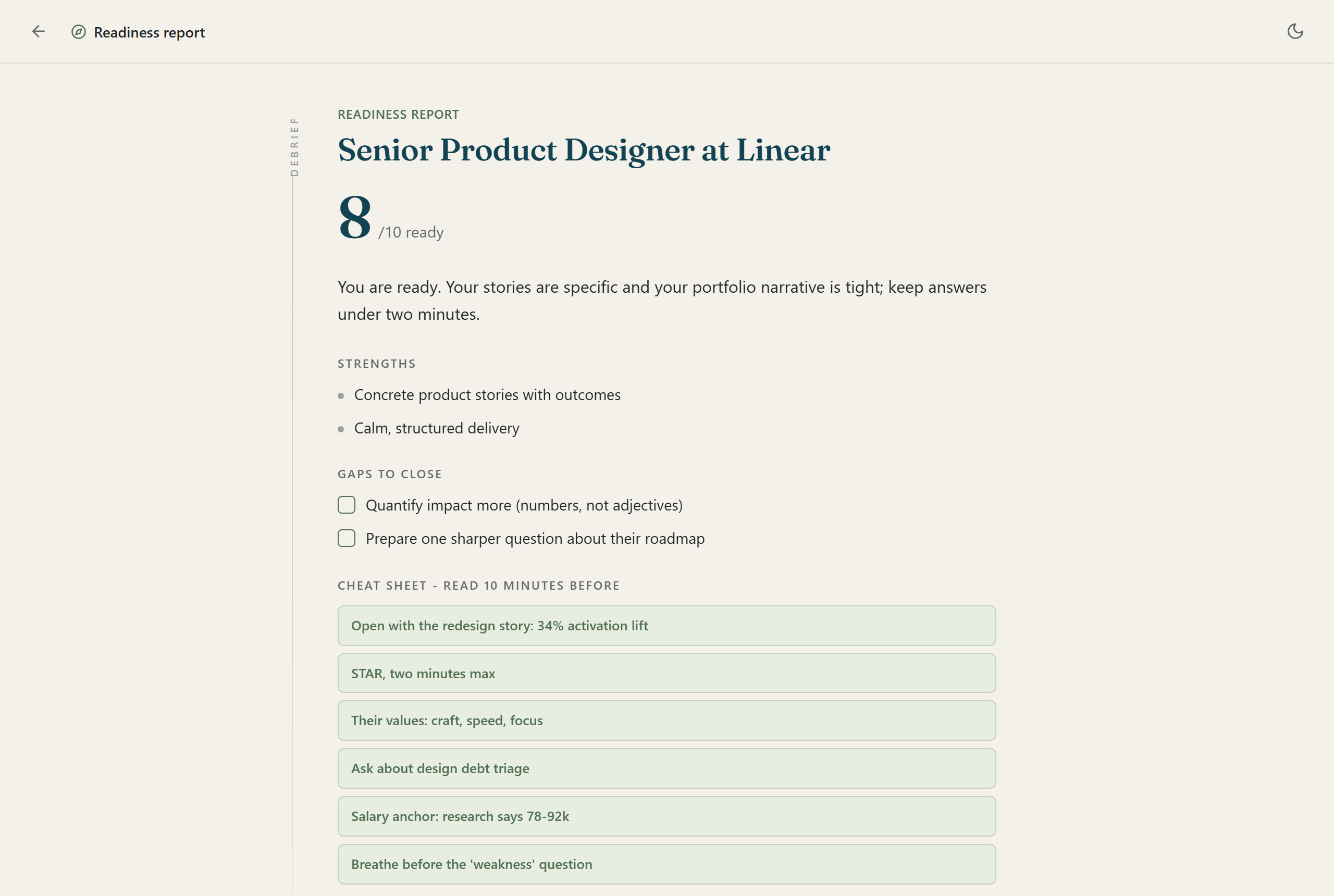
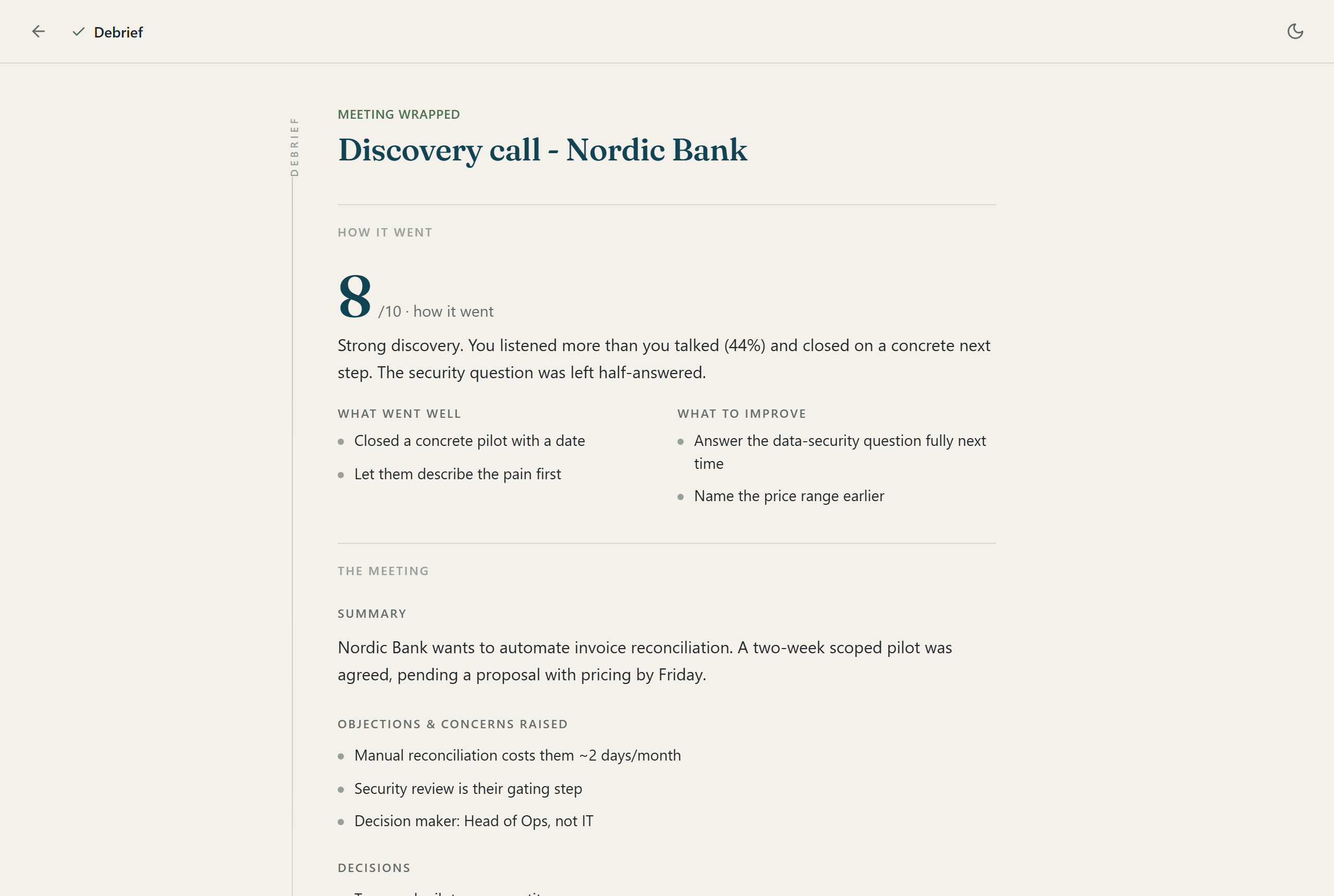
Klatea connects preparation, the live meeting, and the follow-up without turning the raw conversation into a cloud dependency. The current release is a Windows beta: NVIDIA acceleration is recommended, CPU fallback is available, and the user signs in to Claude or Codex separately for AI-generated help.
Visit the Klatea product site for the beta download, installation guide, pricing, two-minute tour, and scenario tutorials.
Add your name and email to unlock recording.
Your recording is emailed to me and kept on this site's server for 12 months, then deleted. Privacy policy.
Thanks for your voice message. I listen to every one myself and I will get back to you within one business day.
Explore João's services and public work, or arrange a free 30-minute consultation.
Choose a time with Cal.com. Your booking status is shown there. No calendar details are shared with this assistant.
Open booking in a new tabWhen enabled, each question is processed by Cloudflare AI and checked for abuse with Turnstile. No chat history is stored by this app. Please leave out private information.
Prepared answers · Public information