Andrew Warner and Corey Ganim's latest AI drops episode is useful because it is not really about one tool. It is about a shift in how agents are becoming work infrastructure.
Codex can watch a task and turn it into a skill. Claude is moving into Slack. Zapier MCP gives agents controlled access to business apps. OpenRouter MCP points toward cheaper model routing. Bluerails tries to make websites easier for agents to read and use. WorkClaw wants one-click agents inside Slack. Revid and transcript-to-app demos show how creative and internal tools are getting compressed into prompts.
Source note
Credit for the source episode goes to Andrew Warner and Corey Ganim from The Next New Thing AI. This article uses their video and transcript as the discovery layer, then adds a practical JQ AI SYSTEMS interpretation for builders, operators, and small teams.
A note on source quality: official product pages and documentation are treated as stronger sources. X posts and prediction-market chatter are useful signals, but they are not proof that a product has shipped, returned, or reached a stable state.
Resource map from the episode
Here are the source links from the episode, grouped so builders can click through without hunting through the transcript.
- Record & Replay in Codex and OpenAI's Record & Replay docs
- Are You in the Weights?
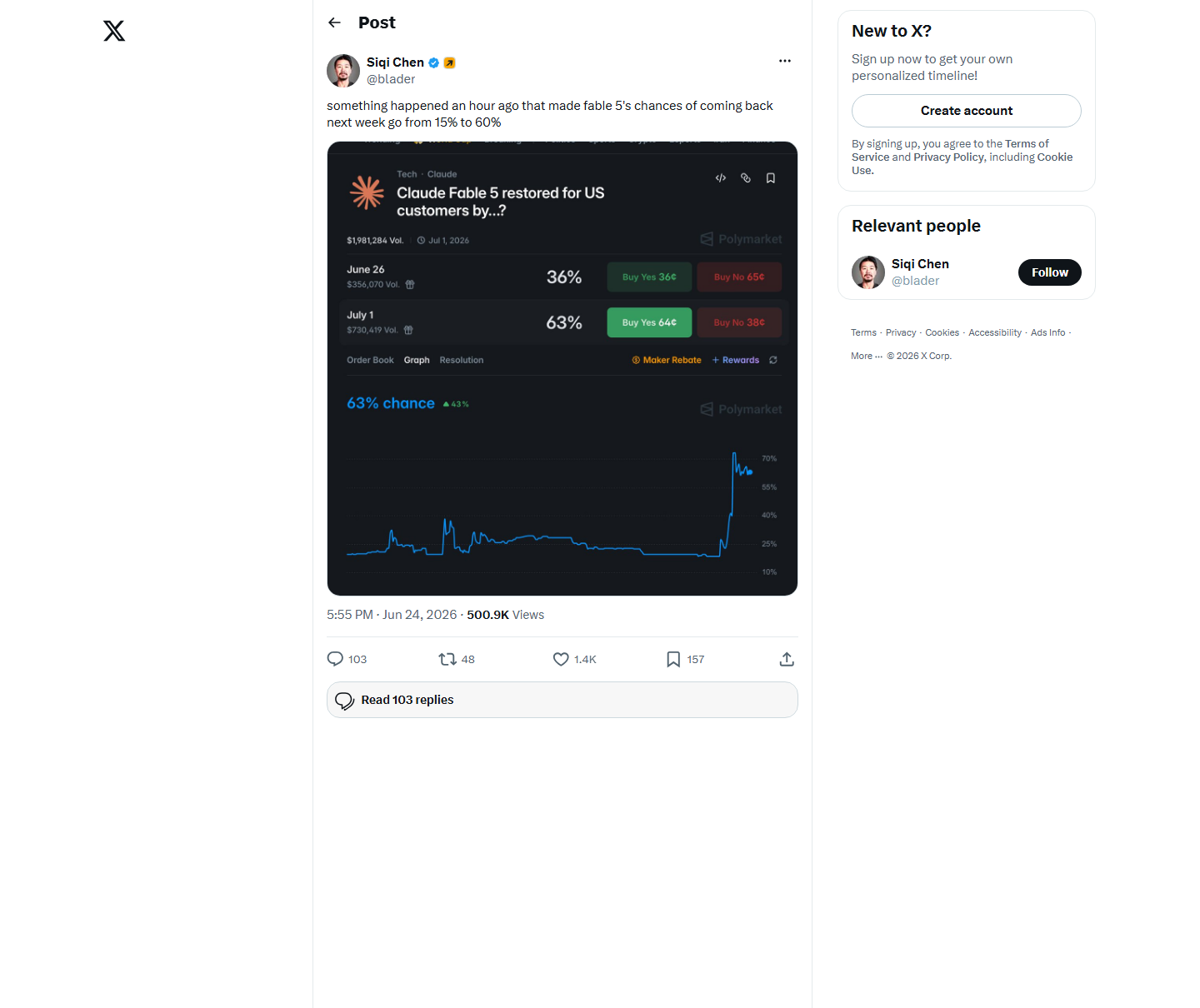
- Fable 5 returning? X discussion signal
- Claude Tag and the Claude Tag video
- Zapier MCP
- Bluerails: let agents use your site
- Claude Code artifacts
- 1 prompt a video and Revid
- Turn transcripts to apps
- WorkClaw
- Build a second brain
- FIFA in your menu bar
- OpenRouter MCP
The big pattern: AI is moving from prompts to repeatable work
The old AI workflow was simple: open a chat box, paste a prompt, copy the output, then fix it somewhere else.
The new workflow is starting to look different:
- Show the agent how work gets done: Record & Replay captures the steps and preferences.
- Put the agent where work already happens: Claude Tag and WorkClaw bring agents into Slack-like team surfaces.
- Give the agent constrained tools: Zapier MCP and similar layers avoid all-or-nothing account access.
- Choose the right model per task: OpenRouter MCP makes cost and model routing part of daily agent work.
- Make your website agent-readable: Bluerails points to a world where agents browse, decide, and eventually transact.
- Turn outputs into artifacts: Claude Code artifacts, Revid videos, and transcript-to-app demos turn agent output into usable objects.
The phrase I would use is workflow capture. AI is getting better at watching how a team works, packaging that pattern, and replaying it with the right tools.
The drops, organized by workflow layer
| Drop | Layer | Why it matters | Risk |
|---|---|---|---|
| 1. Codex Record & Replay | Workflow capture | Turns a demonstrated task into a reusable skill. | Availability, sensitive data in recordings, brittle workflows. |
| 2. Are You in the Weights? | AI visibility | Shows how models describe a person or brand. | Fun signal, not a full AEO audit. |
| 3. Claude Tag | Team workspace | Brings Claude into Slack-style collaboration. | Notification spam and automated reports nobody reads. |
| 4. Zapier MCP | Permissions | Lets agents use thousands of apps with scoped tool access. | Poor permission design can still create messy automation. |
| 5. Bluerails | Agent web | Makes websites easier for agents to read and use. | Agent-ready claims need testing against real tasks. |
| 6. Claude Code artifacts | Outputs | Moves from chat answers to inspectable work objects. | Artifacts still need review before use. |
| 7. Fable 5 returning? | Frontier access | Shows how fast model availability rumors move. | Treat as speculation until official. |
| 8. Revid and transcript-to-app demos | Creation | Compress video and app creation into shorter loops. | Quality, originality, and brand fit matter more than speed. |
| 9. WorkClaw | Team agents | Points toward one-click OpenClaw-style agents in Slack. | Team rollout needs ownership, logs, and approval rules. |
| 10. Build a second brain | Memory | Shows how Codex-style workflows can organize recurring knowledge. | Saved context needs structure, pruning, and source tracking. |
| 11. FIFA in your menu bar | Micro utility | Small AI-assisted utilities can become useful ambient interfaces. | Novelty apps still need durability beyond the launch moment. |
| 12. OpenRouter MCP | Model routing | Makes cheaper or better model choice part of agent workflows. | Routing without evals can quietly reduce quality. |
1. Record & Replay: the strongest drop of the week
Record & Replay is the most important item because it attacks one of the hardest parts of automation: hidden preferences.
OpenAI's documentation says Record & Replay lets you demonstrate a workflow on your Mac and turn that recording into a reusable skill. Codex can then reuse the skill with Computer Use, browser actions, connected plugins, or a combination of tools.
The official demo uses YouTube publishing: the user pulls metadata from a spreadsheet, attaches the right assets, adds captions, saves the video as private, and verifies the upload. That is exactly the kind of workflow that is painful to explain in a prompt but easy to demonstrate once.
OpenAI's availability note matters: Record & Replay is currently documented for macOS, requires Computer Use to be available and enabled, and initial availability excludes the European Economic Area, the United Kingdom, and Switzerland. For Portugal-based readers, that means the concept is worth studying now even if direct access depends on rollout.
The practical first workflows to record are not glamorous:
- publish a video as private with the correct metadata and captions;
- create a client folder and project checklist;
- format a pull request in your team's style;
- download a weekly report and rename it correctly;
- create a recurring calendar invite with the right defaults;
- file an expense or invoice using a stable process.
The rule is simple: record work that is repeated, stable, preference-heavy, and easy to verify.
Deeper JQ AI SYSTEMS coverage: Codex Record & Replay Turns Screen Workflows Into Reusable Skills.
2. Claude Tag and WorkClaw: agents move into team chat
Claude Tag is interesting because it puts Claude where team work already happens. Instead of asking people to open a separate AI product, it lets a team mention Claude in Slack-style workflows, ask it to investigate a problem, or schedule recurring updates.
The upside is obvious: fewer context switches, shared visibility, and a better chance that less technical teammates actually use the agent. The key source to inspect is the Claude Tag product page, not only the demo clip.
The downside is also obvious: automated noise. A team that already has too many dashboards and status updates does not need ten more AI-generated summaries in Slack. It needs fewer, better updates tied to decisions.
WorkClaw fits the same pattern from a different angle: one-click agent deployment into team chat. If Claude Tag is the model vendor moving into Slack, WorkClaw is the startup pattern around packaged agents that teams can summon quickly.
3. Zapier MCP and OpenRouter MCP: agents need controlled access and cost control
Zapier MCP matters because agents are only useful when they can touch real tools. Gmail, Calendar, Drive, CRM, Notion, Slack, spreadsheets, support inboxes: this is where work lives.
The important part is scope. The point is not to give an agent full access to every account. The point is to decide what it can read, draft, create, send, update, or delete.
A sane permission ladder looks like this:
- Read: the agent can inspect data and summarize.
- Draft: the agent can prepare a message, task, or record for review.
- Create: the agent can create low-risk objects such as draft docs or internal tickets.
- Send/update: the agent can affect other people or business data, usually with approval.
- Delete/pay/publish: the agent needs explicit review gates unless the workflow is very mature.
OpenRouter MCP solves a different problem: model choice. If agents are going to run many small subtasks, cost starts to matter. A router can help choose a cheaper model for simple work and reserve stronger models for planning, review, or high-stakes output.
The warning: cheaper routing without evals can quietly make a workflow worse. Track accepted outputs, rework rate, latency, and total cost per useful result.
Deeper JQ AI SYSTEMS coverage: AI Plugins Are Becoming the New Workflow Layer.
4. Bluerails and "Are You in the Weights?": visibility now includes agents
"Are You in the Weights?" is a playful tool, but it points at a serious concern: how do models describe you, your company, or your product when somebody asks?
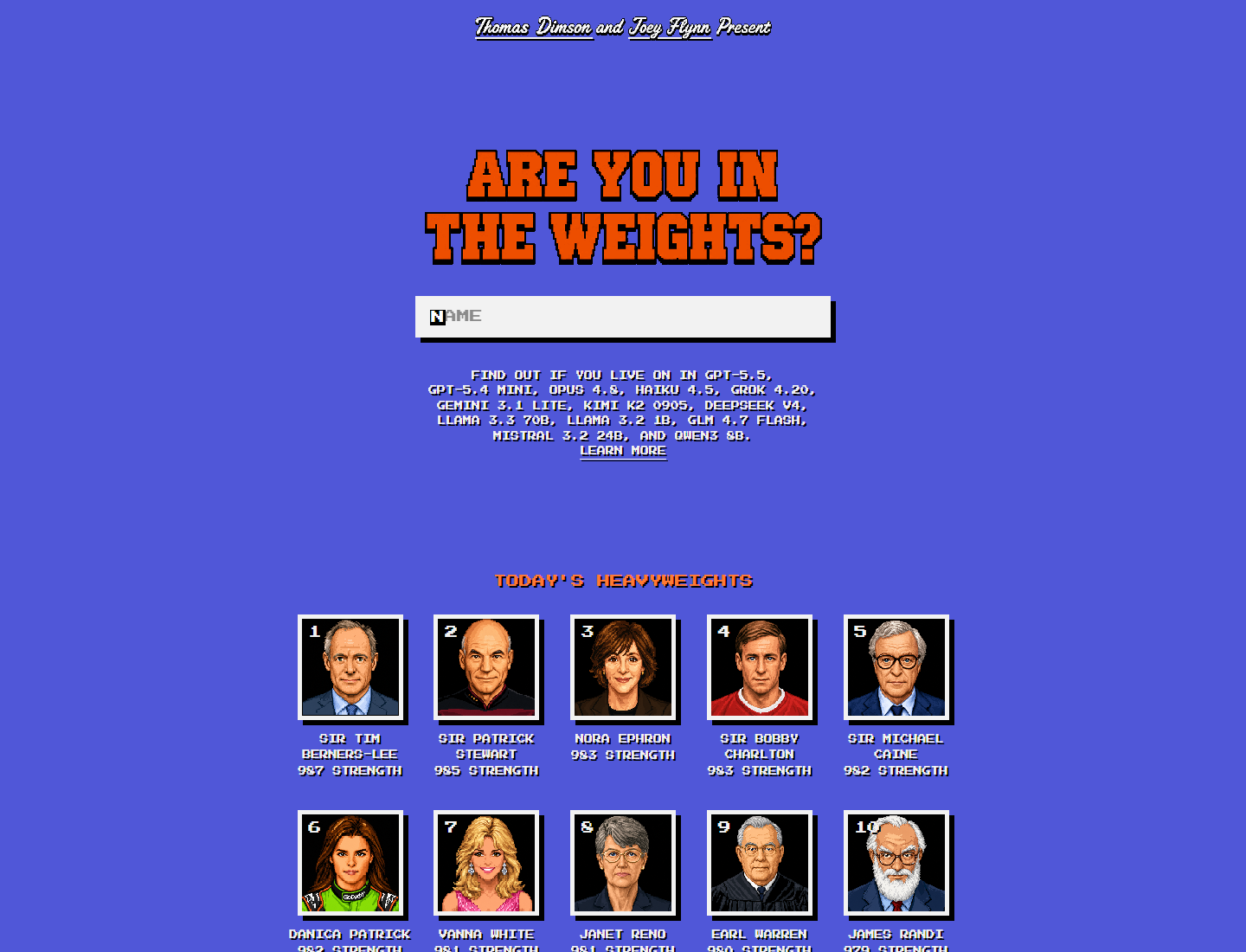
This is not the same as ranking in Google. It is closer to entity visibility. Does the model know who you are? Does it confuse you with another person? Does it mention old positioning? Does it understand your current business?
Bluerails attacks the next layer: not just whether an agent knows your site exists, but whether it can use the site. Can it read the content? Find pricing? Understand the offer? Click the right action? Eventually, can it transact?
This is where AI search, AEO, and UX start to merge. A website that is good for agents usually has the same traits as a website that is good for humans:
- clear page titles and offer language;
- crawlable text, not only decorative images;
- stable buttons and form labels;
- simple navigation;
- visible pricing or next steps;
- structured proof, FAQs, and source links.
The agent-readable web is not a separate web. It is the existing web with less ambiguity.
5. Claude Code artifacts, Revid, and transcript-to-app workflows
Claude Code artifacts, one-prompt video tools like Revid, and transcript-to-app demos all point in the same direction: AI outputs are becoming objects people can inspect, edit, and ship.
That matters because chat text is a weak unit of work. A business does not want "an answer." It wants a landing page, a video, a report, a working prototype, a spreadsheet, a task list, a sales sequence, or an internal app.
The one-prompt video example is connected to Revid and its newer motion design mode. That is useful for quickly testing a visual idea, but the output still needs editorial review before it represents a brand.
The risk is that faster output makes bad taste scale faster. If you can generate a video or app from one prompt, you still need:
- brand rules;
- voice and style constraints;
- review criteria;
- source checks;
- accessibility and mobile checks;
- analytics after publishing.
AI removes friction from production. It does not remove judgment from publishing.
6. Second brains: useful only when they become working memory
The second-brain demos in the episode are a good reminder that memory is not just "save everything."
A useful AI second brain should answer operational questions:
- What did we decide last time?
- Which client rules matter here?
- What examples should the agent imitate?
- What should never be suggested again?
- Which workflow is ready to become a reusable skill?
- Which facts are stale and need verification?
If the memory layer cannot separate source notes, decisions, preferences, examples, and tasks, it becomes another messy archive. The better pattern is small, structured memory files connected to specific workflows.
Deeper JQ AI SYSTEMS coverage: Agent Memory Is Becoming the New Business Knowledge Base.
What builders should test this week
If you are deciding what to try from this episode, do not install everything. Pick one missing layer.
- If your team repeats browser work: study Record & Replay and write a list of workflows worth recording.
- If your team lives in Slack: test whether a Claude Tag or WorkClaw-style agent can answer one real operational question without creating noise.
- If you are connecting apps: design the Zapier MCP permission ladder before giving the agent access.
- If model bills are rising: test OpenRouter-style routing on low-risk tasks and measure accepted outputs, not just token price.
- If you sell online: check whether agents can read your offer, pricing, contact path, and FAQs.
- If you produce content: test one Revid-style or transcript-to-app workflow, then judge it against brand fit and usefulness.
- If your agents forget context: build a structured second-brain folder before adding another automation.
Do not chase every new AI drop. Pick one repeated workflow, give the agent scoped tools, measure accepted output, and turn the process into a reusable skill before adding more agents.
Sources
- Andrew Warner and Corey Ganim: New AI Drops: AI does your work, Claude in Slack, cheap AI and more
- The Next New Thing AI
- OpenAI Codex Record & Replay official video
- OpenAI docs: Codex Record & Replay
- Are You in the Weights?
- Fable 5 returning? X discussion signal
- Claude Tag
- Claude Tag video
- Zapier MCP
- Bluerails
- Claude Code artifacts source link
- One-prompt video source link
- Revid
- Turn transcripts to apps source link
- WorkClaw pricing
- Build a second brain source link
- FIFA in your menu bar source link
- OpenRouter MCP source link
The short version: this week was about making agents repeat useful work. Record the process, route the right model, scope the permissions, store the memory, and keep humans in the review path where decisions matter.