Why this exists
You built something and need to show it off. Screenshots are flat. Screen recordings need editing. Loom videos get skipped. What actually works is a self-playing animated walkthrough that looks like someone is using the product, with cursor movement, highlights, captions, and music.
This skill generates that in a single HTML file. No dependencies, no build step, no video editing. Drop it on any hosting and it plays.
How it works
- Claude reads your project It scans your codebase: README, CLAUDE.md, package.json, CSS variables, font stack. It identifies the product name, colour palette, and key features to showcase.
- It presents a step plan Before generating anything, Claude lists 6-10 demo steps (e.g. "User searches, results appear, clicks a row, detail view opens"). You approve or adjust.
-
It generates a single HTML file
One file:
demo/index.html. No external dependencies except Google Fonts. Contains all CSS, JavaScript, and the piano music system inline. Drop it on any server and it works. - Open and play Open the file in a browser. The intro screen fades in, the dashboard appears, and the animation plays through each step with cursor movement, highlights, and captions. Timeline controls let you jump to any step.
What the output includes
- Intro screen: Product name, tagline, and a "Watch Demo" button with a subtle pulse animation
- Dashboard mockup: A realistic UI built from your project's actual layout, colours, and fonts. Tabbed navigation, stat cards, tables, forms, whatever your product has.
- Cursor animation: A custom animated cursor that moves smoothly between elements, clicks buttons, and highlights interactive areas
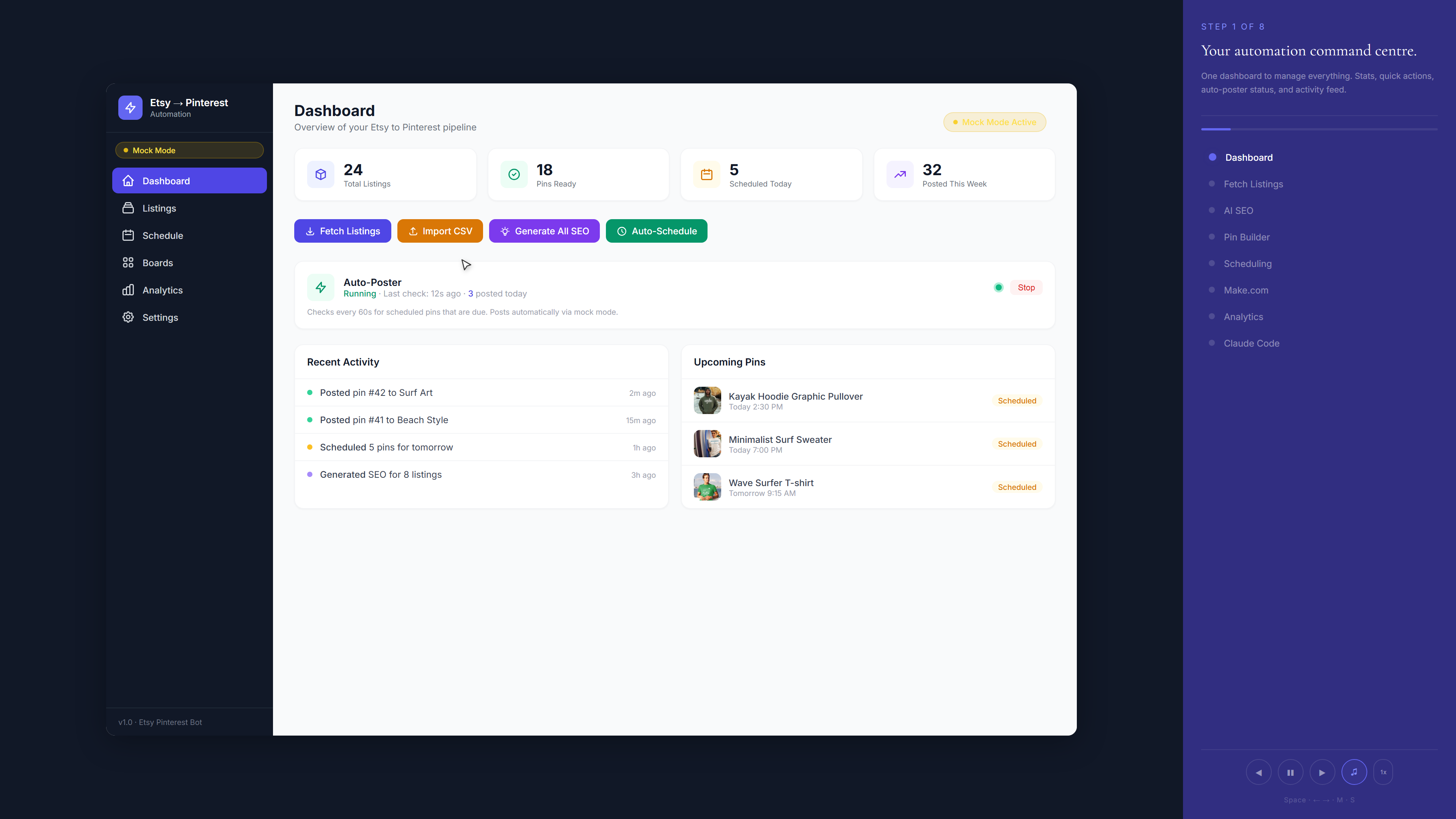
- Sidebar captions: Each step gets a caption panel that explains what is happening ("Step 3 of 8: Filtering results by date")
- Timeline controls: A vertical timeline on the left with clickable dots. Users can jump to any step or let it autoplay.
- Highlight system: Active elements get a glowing highlight ring that draws attention to where the cursor is pointing
- Piano music: An ambient generative piano soundtrack built with the Web Audio API. No audio files needed. Plays soft chords that loop without repetition.
- Ending screen: Product name, call-to-action, and a link back to your site
Step by step (for first-time users)
-
Download the skill file
Click the download button above. Save the
.mdfile to.claude/skills/in your project folder. - Open Claude Code in your project Navigate to your project root and launch Claude Code.
-
Type
/demo-animationClaude reads your project, identifies the product, and asks if you want to customise which features to showcase. - Review the step plan Claude shows you 6-10 planned steps. Say "looks good" or request changes.
- Wait for generation Claude writes the entire HTML file. This takes a minute or two because the file is large (typically 1,500-2,500 lines).
-
Open
demo/index.htmlin your browser The demo plays automatically. Check that the colours, layout, and steps look right. If something is off, tell Claude what to fix.
Built with this skill
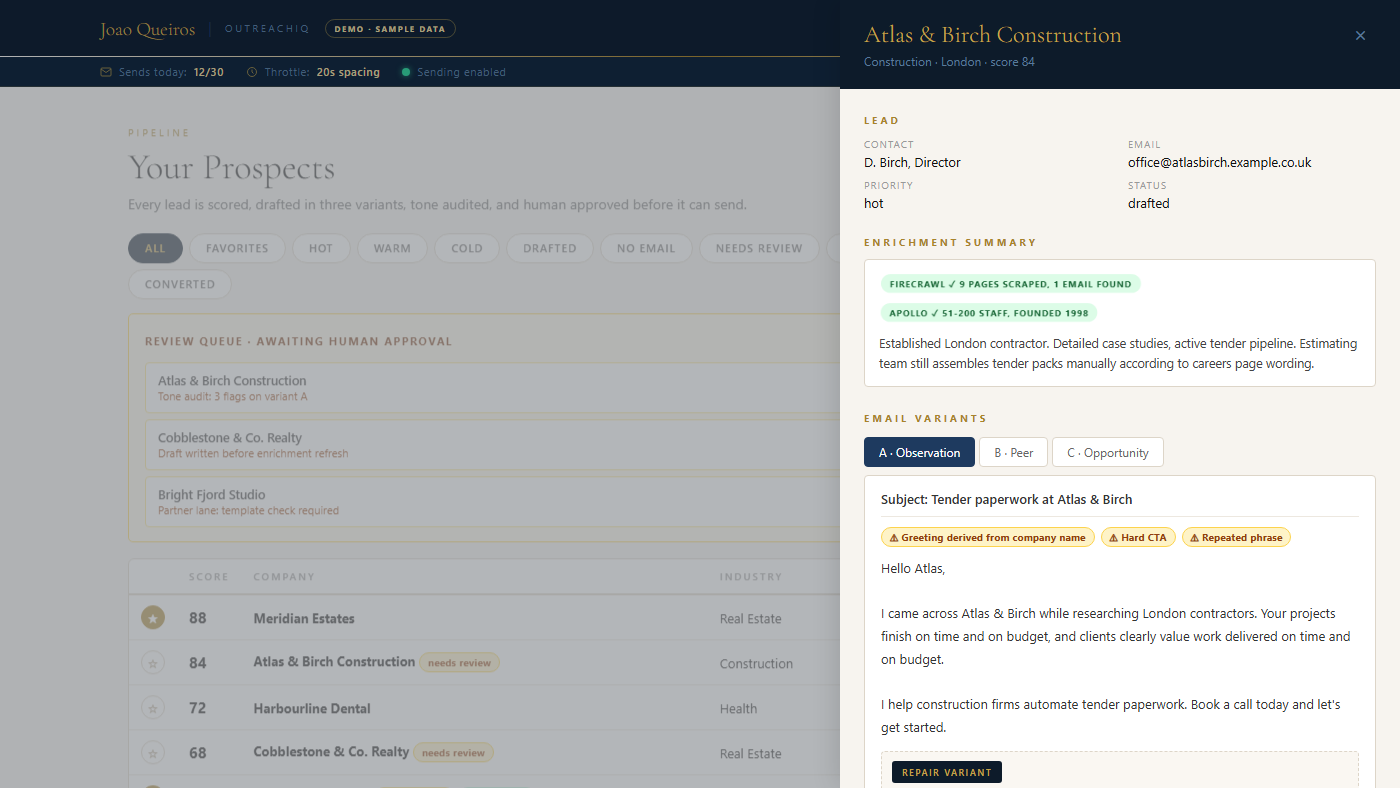
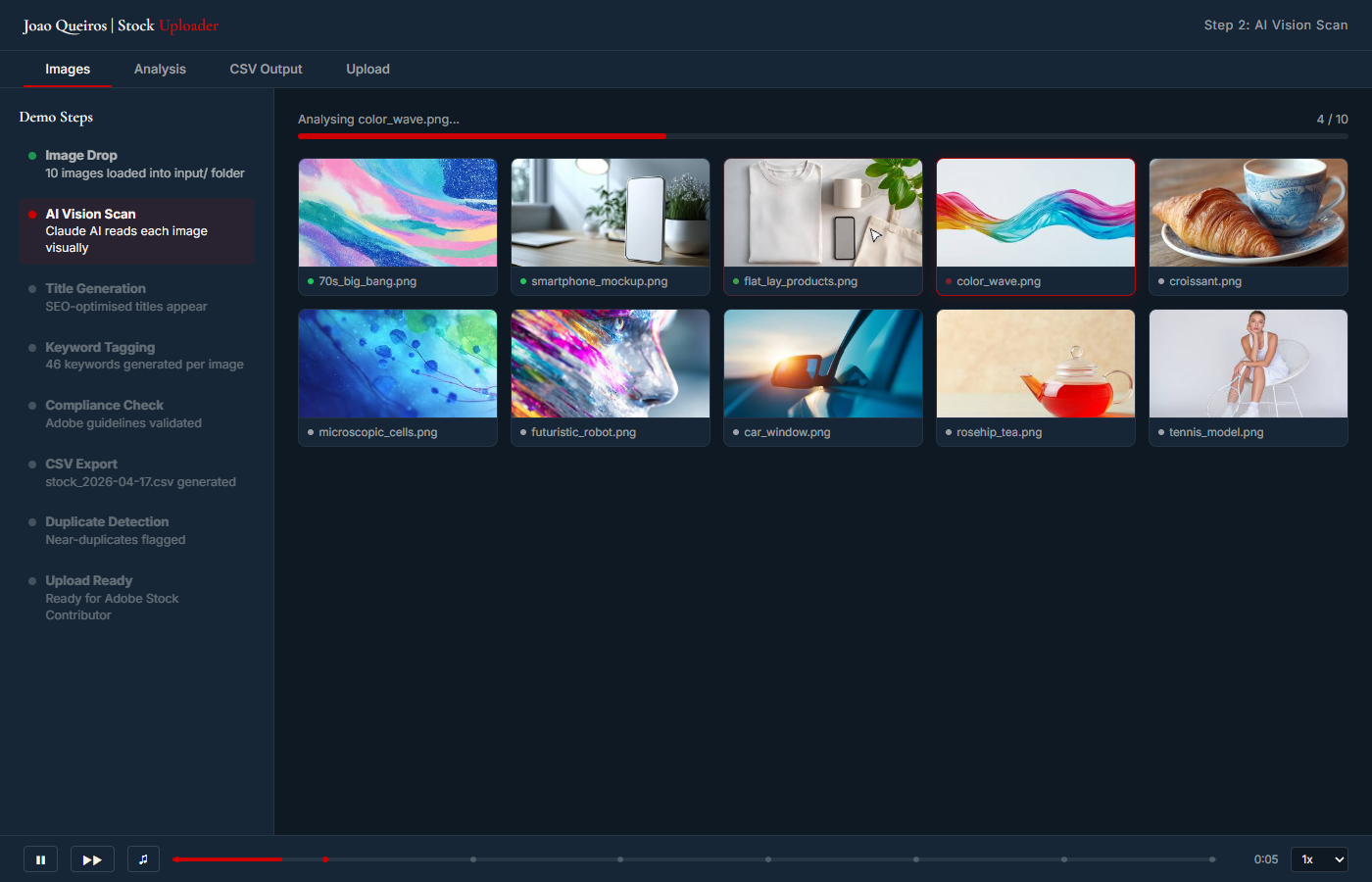
Every demo below started from this exact skill file. Click any screenshot to watch it play live.
Use cases
v1 vs v2: which to use
This is v1. It generates the entire HTML file from scratch, with all CSS, JavaScript, and the animation engine written inline. This makes it more stable on complex projects because Claude has full control over every line of code.
Demo Animation v2 uses a pre-built template with placeholder markers. It is faster to generate and includes full mobile support (responsive layout, touch gestures, fullscreen API). But the template approach means Claude sometimes needs manual adjustments on complex projects with unusual layouts.
Pick v1 if: your project is complex, you want maximum stability, or you do not need mobile playback.
Pick v2 if: you want mobile support, faster generation, or your project has a standard dashboard/form layout.
Honest take
What it does well: Generates a genuinely impressive animated demo from just your codebase. The piano music, smooth cursor movement, and highlight system make it feel hand-crafted. The single-file output means zero deployment friction. I have used this to produce portfolio demos for three different projects and each one looked professional enough to put on a landing page.
What it does not do: It cannot interact with your actual application. The dashboard is a visual mockup, not a live embed. If your product has a very unusual layout (not a dashboard, form, or table-based UI), Claude may struggle to generate a convincing mockup. The output is also desktop-only. For mobile support, use v2.
When to use it: Any time you need to show someone what your product does without giving them access. Portfolio sites, pitch decks, landing pages, documentation, social media content. If you have built something and want a visual demo in under five minutes, this is it.