Why this exists
Demo Animation v1 generates impressive animated demos, but it writes every line from scratch. That takes longer and the output is desktop-only. v2 solves both problems: it uses a pre-built template with placeholder markers, so Claude fills in your project-specific content instead of writing the entire engine. The template includes full mobile support out of the box.
How it works
- Claude reads your project Same as v1: it scans your codebase to identify the product name, colour palette, font stack, and key features.
-
It loads the template
The skill includes a complete HTML template (embedded in the download file) with
{{PLACEHOLDER}}markers for all project-specific content. Claude reads this template instead of writing from scratch. - It fills in your content CSS variables get your brand colours. Tab panes get your UI mockups. Step functions get your animation sequence. The template's engine (cursor, highlights, timeline, music, mobile controls) stays untouched.
-
Open and play
Output is
demo/index.html. Works on desktop and mobile. Supports touch gestures, fullscreen mode, and landscape detection on phones.
What the template includes
Everything from v1, plus mobile-specific features:
- Responsive layout: The dashboard scales and restructures for phone screens
- Bottom control bar (mobile): Play/pause, step navigation, timeline, and fullscreen buttons anchored to the bottom of the screen
- Touch gestures: Swipe left/right to navigate between steps on touch devices
- Fullscreen API: One-tap fullscreen on mobile for an immersive viewing experience
- Landscape hint: A gentle prompt for phone users to rotate for the best view
- prefers-reduced-motion: Respects the OS accessibility setting. Animations are simplified when enabled.
- Piano music: Same generative Web Audio API soundtrack as v1
- Cursor + highlight system: Same smooth cursor animation and glowing highlights as v1
- Timeline controls: Clickable vertical timeline with step dots
Setup
Two files: the skill (.md) and the template (.html). Download both using the buttons above.
- Download both files Click "Download .md" and "Download Template" above. You get the skill file and the HTML template separately.
-
Drop into your project
Save both files to
.claude/skills/in your project. The skill expectstemplate.htmlin the same folder, so rename the template file totemplate.html. -
Run the skill
In Claude Code, type
/demo-animation-v2. Claude reads the template, fills in your project content, and writesdemo/index.html.
Placeholder reference
The template uses {{DOUBLE_BRACE}} markers. Claude fills these automatically, but if you want to understand or customise the output:
| Placeholder | What it becomes |
|---|---|
{{PAGE_TITLE}} | Browser tab title |
{{GOOGLE_FONTS_LINK}} | Font stylesheet link tag |
{{PRIMARY_DARK}}, {{ACCENT}}, etc. | CSS colour variables from your brand |
{{FONT_SERIF}}, {{FONT_SANS}} | Font family names |
{{INTRO_CONTENT}} | Logo, subtitle, tagline for the intro screen |
{{NAV_TABS}} | Dashboard navigation tabs |
{{TAB_PANES}} | Content for each tab (stat cards, tables, forms) |
{{PANE_CSS}} | Custom CSS for your tab pane layouts |
{{TIMELINE_STEPS}} | Timeline dot labels |
{{STEP_FUNCTIONS}} | JavaScript animation functions for each step |
{{ENDING_CONTENT}} | Final screen content and CTA |
Built with this skill
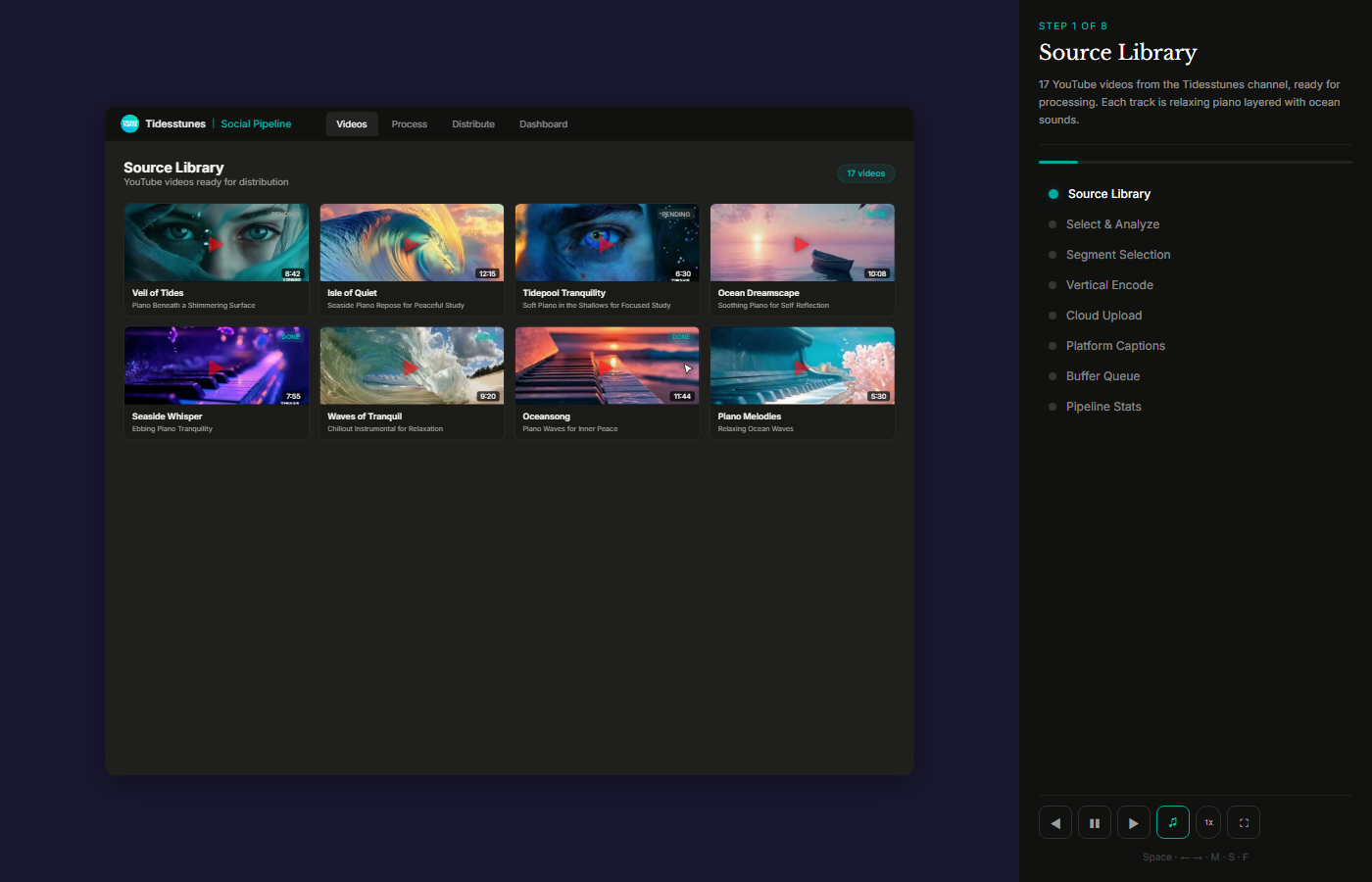
Generated with the v2 template. Click the screenshot to watch it play live, including on mobile.
v1 vs v2: which to use
This is v2. It is faster to generate because Claude fills in a template rather than writing the entire engine from scratch. The template includes full mobile support (responsive layout, touch gestures, fullscreen, landscape hint).
Demo Animation v1 writes every line from scratch. This gives Claude more control, which makes it more stable on complex projects with unusual layouts. But the output is desktop-only.
| Feature | v1 | v2 |
|---|---|---|
| Generation speed | Slower (writes everything) | Faster (fills template) |
| Mobile support | No | Yes (touch, fullscreen, responsive) |
| Complex layouts | More stable | May need manual adjustments |
| Output size | 1,500-2,500 lines | ~2,000 lines (template + content) |
| Accessibility | Basic | prefers-reduced-motion support |
| Piano music | Yes | Yes |
| Cursor + highlights | Yes | Yes |
Pick v2 if: you want mobile support, faster generation, or your project has a standard dashboard/form layout.
Pick v1 if: your project is complex, you want maximum stability, or you do not need mobile playback.
Honest take
What it does well: The template approach is genuinely faster. Claude spends its time on your content (the dashboard mockup, the animation steps) instead of re-writing the piano music system and cursor engine every time. The mobile support is solid: touch gestures feel native, fullscreen mode works on iOS and Android, and the landscape hint is a nice touch for phone users. I built this after generating several demos with v1 and wanting a way to skip the boilerplate.
What it does not do: The template is opinionated. It assumes a dashboard-style layout with tabs, a sidebar caption panel, and a vertical timeline. If your product is a chat app, a CLI tool, or something with a very different layout, Claude will try to adapt, but the result may need manual tweaking. The template is also ~600 lines of HTML that gets embedded in your skill file, so the download is larger than v1.
When to use it: Same scenarios as v1 (portfolio, landing pages, pitch decks, documentation), but especially when you need the demo to work on mobile or when you want faster generation time. If you are producing multiple demos for different projects, v2's template approach saves real time.